Notes from completed product work, with availability varying by plan and account.
Each month groups completed changes rather than promising a future release date. Check the relevant feature page for plan requirements. If a problem persists in your account, include the affected screen and the steps you took in a support report.
A more reliable trading record
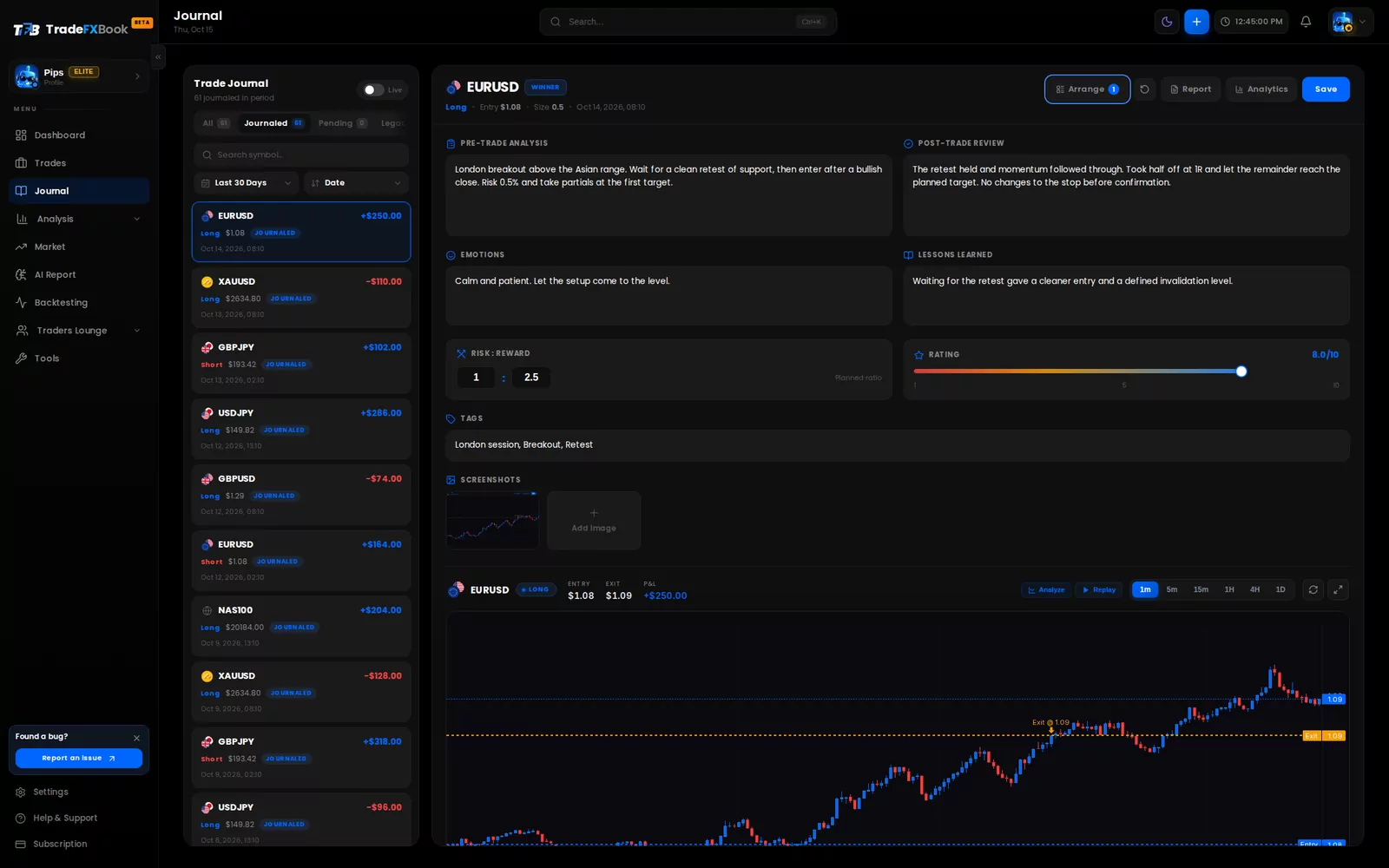
Journal navigation asks about unsaved edits, and a failed save keeps your draft open. Clearing a backtest journal entry now asks for confirmation.
Add Trade stays open when you click outside the form, and saves the latest checklist ticks.
Account amounts use their recorded currency. Views with different account currencies ask you to select one account instead of adding those amounts together.
Trade period filters and manual entry times follow your timezone, including month boundaries and daylight saving changes.
Backtesting groups partial exits under one trade, keeps report times aligned with the chart and accepts fractional lot sizes such as 0.012.
Support conversations offer message copying and screenshot previews. Billing shows auto-renew off after a confirmed cancellation.
Position sizing rounds down to stay within the chosen risk budget, with corrected gold and silver pip sizes.
Keep the journal draft
The screen shows the notes and screenshots protected by the journal save and navigation changes. Save your edits before moving to another trade.
More control over replay and review
Choose, reorder and resize trade table columns. Sort by multiple columns, total selected cells and export filtered or selected trades to CSV or Excel.
Arrange the sections in Journal and Trade Analysis and save the layout to your account.
Backtesting adds FX market session overlays and separate value area high and low controls for Fixed Range Volume Profile.
Go to and the replay clock follow the chart timezone. Slower 0.25× and 0.5× replay speeds are available again.
Stepping back a few candles responds faster. Save recovery gives clearer comparisons before restoring a device copy, helping protect newer saved trades.
Pending orders have chart lines with cancellation controls. Results are grouped into Open, Pending and Closed tabs.
Charts and connections that hold their place
Backtesting saves chart changes before symbol or timeframe switches, with annotations shared across timeframes.
Trade history recovery handles temporary connection limits with caching and deferred retries.
Fixed image uploads for affiliate lounge owners and improved the way small performance charts fit different screen sizes.
Image upload fixes
Fixed errors that could interrupt image uploads.
Keep a copy of your review
Export your trade journal to PDF on desktop. AI reports also have a print view for saving as PDF.
Lounge images are compressed before upload, with improvements to image previews and captions.
Google sign-in accounts can set an email password.
Dashboard and journal loading defer the full trade history so the initial view can open sooner.
Clearer journals and steadier replay
Saved custom execution checklist items stay with journal entries after reload.
Journal chart entry and exit markers align more closely with the candles containing the trade price.
Replay starts advancing without an extra initial wait and preserves the visible chart range more reliably during recovery and timeframe changes.
The economic calendar shows countdown labels for events happening today.
Backtesting loading and drawing fixes
Backtesting chart loading is faster, with fixes for charts getting stuck while opening.
Drawings keep their alignment across session reloads and timeframe changes.
Improved mobile web loading and backtesting trade handling.