The pair is only
part of the trade.
A forex journal needs more than a list of pips gained or lost. The cash value of a pip depends on the pair, position size and account currency. The same setup can also behave differently across trading hours or around an event affecting either currency.
Keep the pair, direction, entry and exit, size and timestamps with the original reason for entry. In your notes, name the session you intended to trade and the event context you checked. That lets you separate a setup question from a sizing, timing or execution question later.
- Pip size and pip valueA pip is a price increment; pip value is its cash effect at your size. Do not compare cash outcomes across pairs using pip counts alone.
- The account currencyWhen the quote currency differs from the account currency, conversion affects the account-currency value of the move.
- Session and event contextRecord the entry window and relevant events for both currencies. A pair label does not explain the conditions at entry.
- Shared currency exposureNote other open positions with a common currency. Different pair names can still express a similar market view.
Make the sizing
part of the record.
The site’s forex calculators use a standard lot of 100,000 base-currency units, with a pip size of 0.0001 for the supported non-JPY pairs and 0.01 for JPY-quoted pairs. Your broker’s actual contract and lot rules remain the reference for a live order.
| Record | Keep with the trade | Review question |
|---|
| Instrument and size | Broker symbol, lots, pip convention and account currency. | Did similar stop distances carry similar planned cash risk? |
|---|
| Setup and timing | Trigger, invalidation, entry window and relevant calendar context. | Did the same setup change when the trading conditions changed? |
|---|
| Execution and costs | Actual entry and exit, commission and any overnight swap. | How did the recorded outcome differ from the planned move? |
|---|
| Management | The reason for moving a stop, taking a partial exit or closing early. | Was the change part of the plan or a reaction to open P&L? |
|---|
On a phone, scroll the table sideways.
Under the calculator’s standard-lot assumptions, 1 lot of EURUSD has a $10 pip value in a USD account: 100,000 × 0.0001. That example does not establish the pip value of another pair or broker contract.
Check pip value →Forex journalKeep the plan
beside the execution.
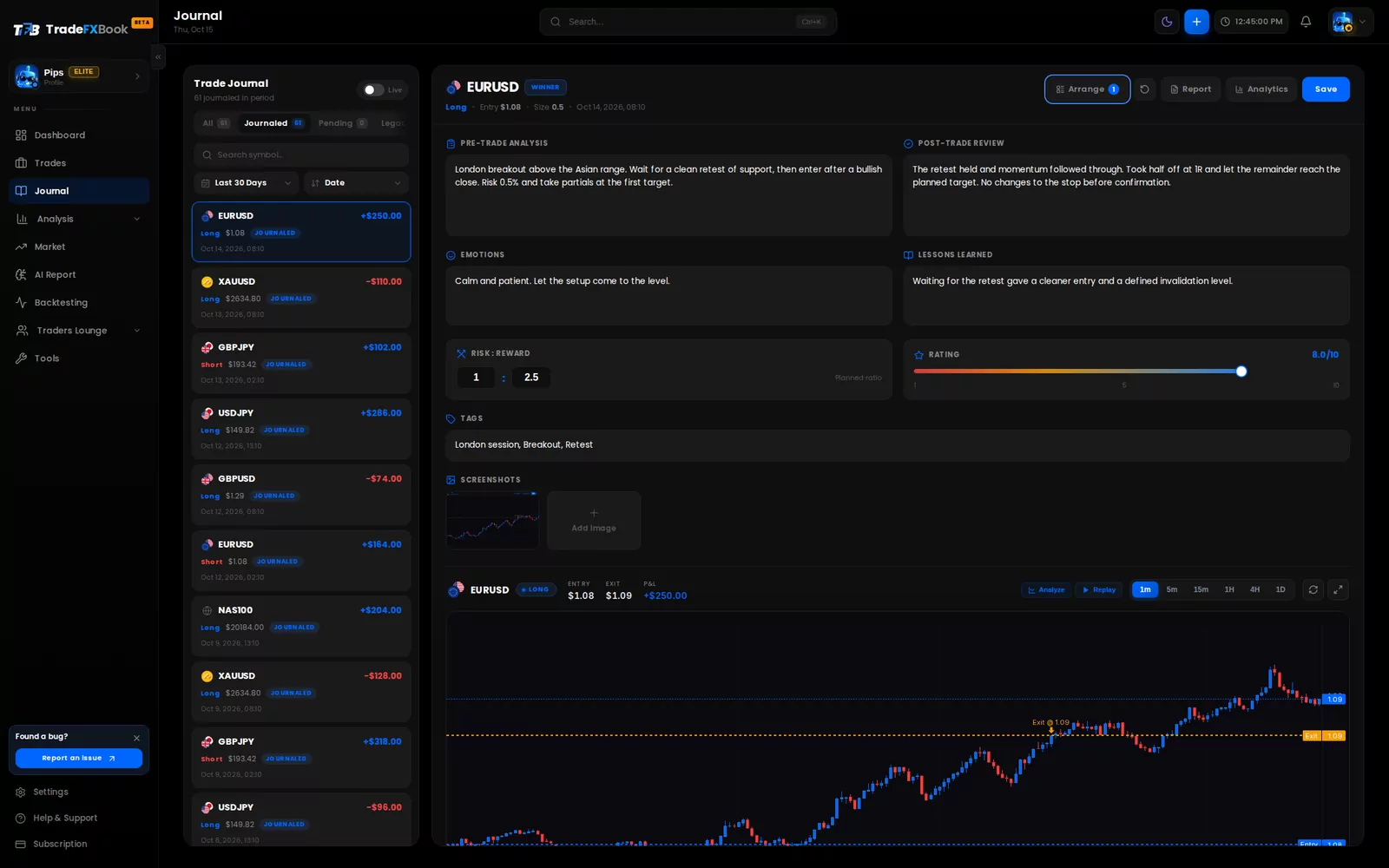
Use the separate pre-trade and post-trade fields to explain the entry, then compare it with the exit. Tags and a chart screenshot preserve the setup context.
Explore the journal →
 ↗
Compare pairs and hours.
Then read the notes.
Start a review with one pair and a defined setup. Compare trade counts, average wins and losses and the notes behind the results before moving to another pair. A better cash total can reflect larger size or more trades, rather than better execution.
TradeFXBook includes symbol, day and session breakdowns. Session groups use the trade’s closing time: Asian is 22:00 to 08:00 UTC, London is 08:00 to 13:00 UTC, and New York is 13:00 to 22:00 UTC. These are fixed analysis buckets. Keep your actual entry window in a note or tag when studying an opening session or overlap.
For overnight positions, review holding time and swap as well as the price move. For event-related trades, revisit what you knew before the release rather than explaining the outcome only after it happened.
Trade analysisFind the group.
Read the decisions.
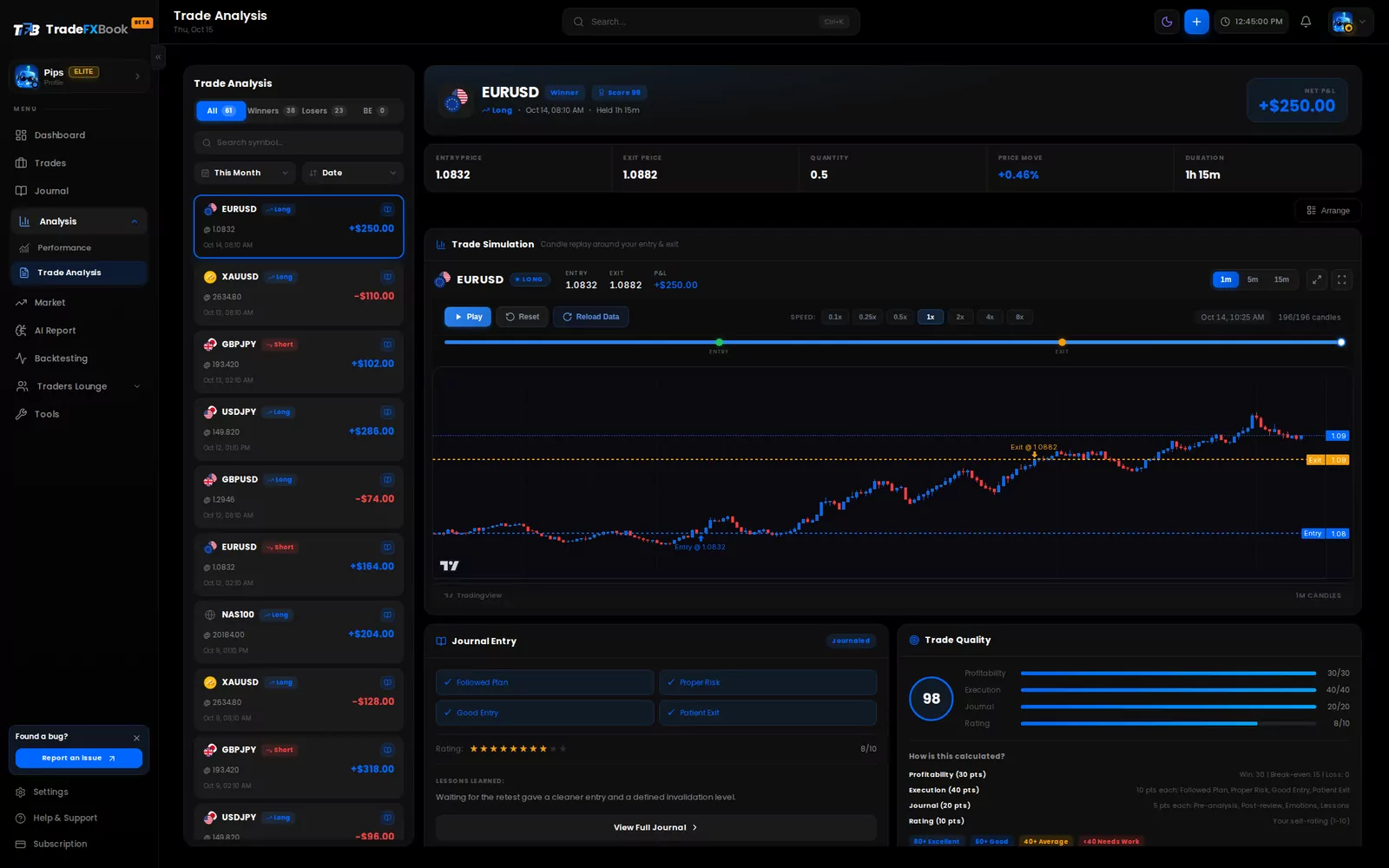
Use symbol and session breakdowns to choose which trades to revisit. The journal supplies the entry context that a summary cannot show.
Explore analytics →
 ↗
