Start with the account rules.
Then review the trades.
A prop account adds another layer to a trading plan: the rules attached to that particular account. Daily loss calculations, total drawdown, reset times and restrictions can differ between firms and account stages. Keep the current rules close to your session plan and check them against the firm’s own dashboard.
When you manage several accounts, a trade can be valid for your setup but unsuitable for the remaining risk on one account. Review each account in its own context. A combined memory of the day is not enough to explain which account took which risk.
| Account context | Write down | Why it matters |
|---|
| Rule reference | The account stage, current loss rules and the firm’s reset timezone. | A calendar day in your journal may differ from the firm’s risk day. |
|---|
| Risk before entry | Planned cash risk, existing exposure and the reason for the size. | Several open positions can share the same market risk. |
|---|
| Trading restrictions | The account’s news, overnight or weekend conditions, where applicable. | A setup still needs to fit the rules of that account. |
|---|
| Decision after a loss | Whether the next entry was planned and size stayed within your plan. | Pressure to recover can change execution before you notice it. |
|---|
On a phone, scroll the table sideways.
Keep each account clear.
Use the same review routine.
Prop firm accounts that use MT4 or MT5 connect through the same MetaTrader flow as other accounts. Pro syncs up to 3 MT4/MT5 accounts; Elite supports unlimited accounts. Use the imported execution record as the starting point, then add the decisions a broker history cannot explain.
Write the setup, planned stop and reason for any change in the journal. If you take a similar trade on more than one account, review size and execution for each account separately. Similar symbols and entry times do not make the risk identical.
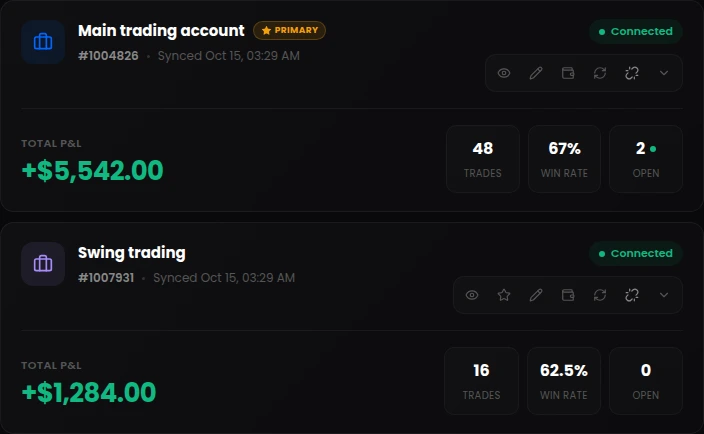
Connected accountsSee which account
you are reviewing.
The account list shows separate connection status and account statistics. Return to the relevant account before reading its trades and notes.
See prop account connections →
 ↗
Review the pressure.
Keep risk decisions visible.
Before a session, turn the rules you need to check into a short routine. Confirm the current account, the risk you have chosen, planned trading hours and any relevant event restrictions. The position size calculator estimates lots from balance, risk and stop distance; your broker’s contract specifications still apply.
- After a losing sequenceRead the entries in order. Look for a change in setup quality, size, frequency or your willingness to wait.
- Near a targetCheck whether you started accepting trades you would normally pass on. A target does not change the setup definition.
- At the end of a sessionCompare the day’s trade notes with your written plan, including decisions to stop or stay out.
- Across account stagesKeep earlier evaluation results in context. A different balance, restriction or risk choice can change the comparison.
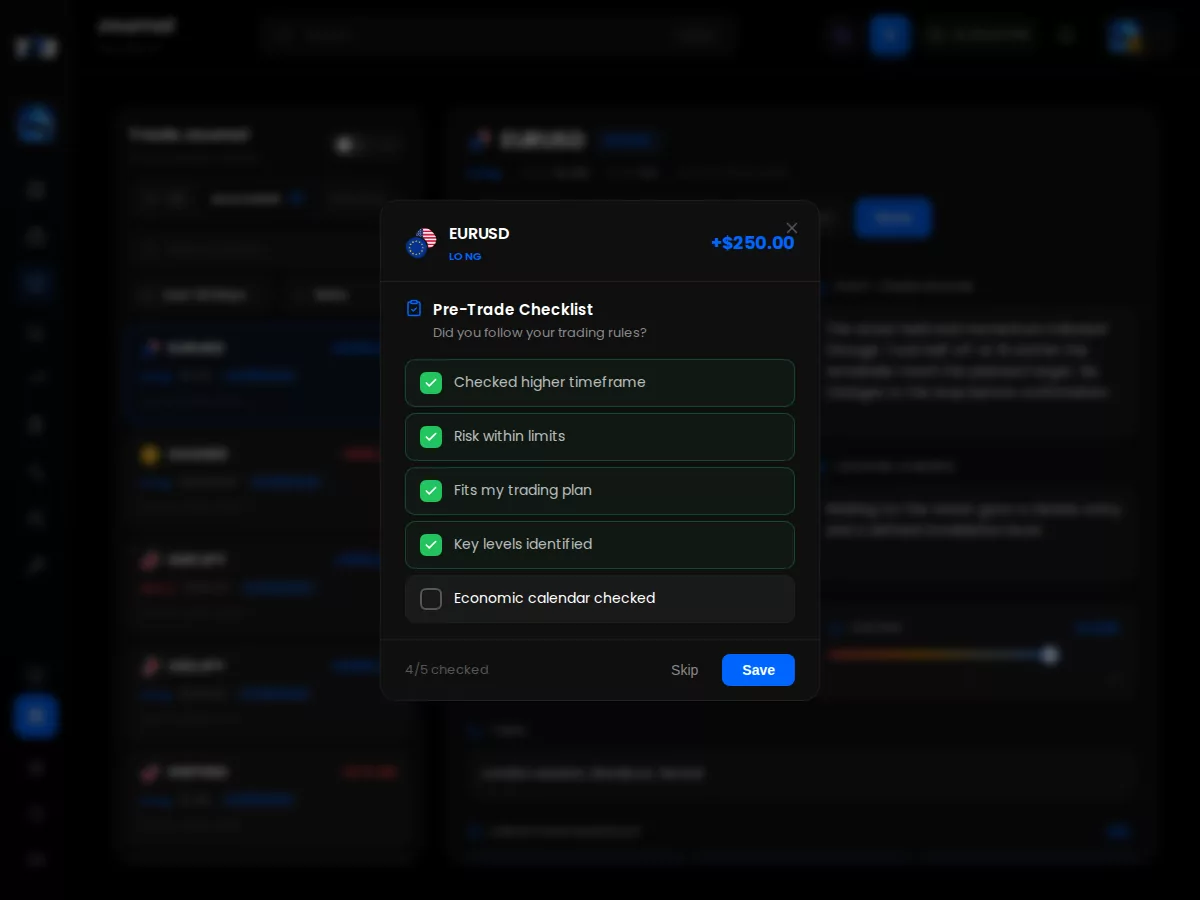
Execution checklistRecord the rules
you followed.
Pro and Elite support checklist templates with up to 15 items. Use them to record process adherence, then read any missed item alongside the trade.
Explore checklists →
 ↗
Use the journal to review your decisions. Use the prop firm’s current rules and dashboard to confirm live limits and account status.
