
Alongside your journalSize the position.
Size the position.
Keep the plan.
The app’s position size calculator sits alongside your journal. Keep the risk calculation with your trading routine.
Explore the journal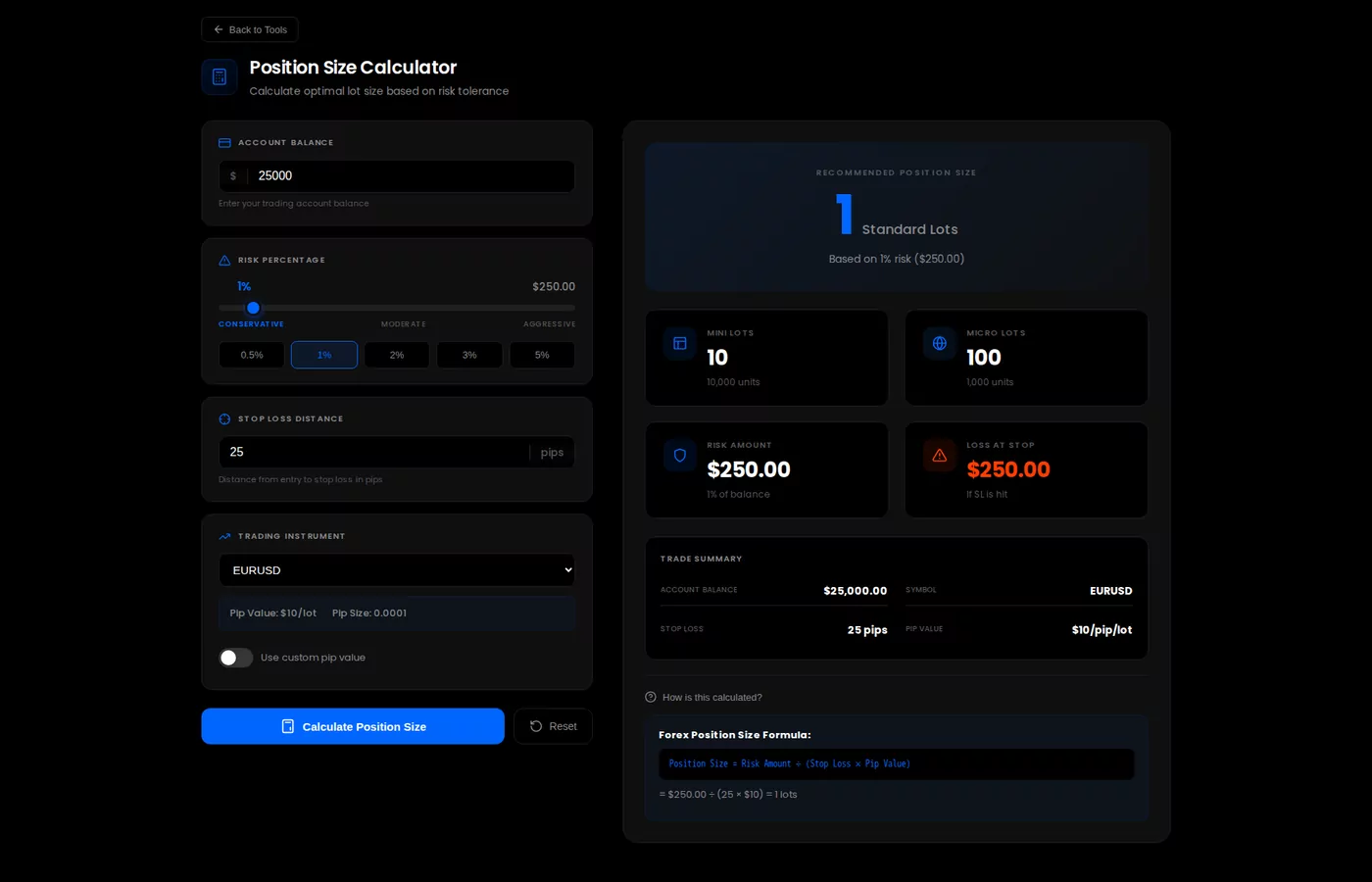
Free forex tools
Turn your account balance, risk limit and stop distance into a forex lot size. No account needed.
Change any input to update the result. No signup, no live rate feed.
Your result
…
Enter your values to see the result.
The result is the lot size whose price-to-stop loss fits the cash budget you entered. The risk budget comes from your balance and percentage; “Risk at stop” is the amount used by the rounded position. Those amounts can differ because the calculator rounds down. Position quantity shows the same size in base-currency units, or ounces for gold.
Multiply your balance by the risk percentage divided by 100. Divide that cash budget by the stop distance and by the value of one pip for one lot. Round the answer down to the nearest 0.01 lot. Pip value per lot is contract size multiplied by pip size and your quote-to-account conversion rate.
The forex assumption is 100,000 base-currency units per lot. Most pairs use a 0.0001 pip; JPY quotes use 0.01. XAUUSD assumes 100 troy oz per lot and a 0.01 price increment. Confirm that your broker uses the same contract before using the size.
| Example input | Calculated result |
|---|---|
| EURUSD, USD account, $10,000 balance, 1% risk, 20-pip stop | $100 budget ÷ 20 ÷ $10 per pip per lot = 0.50 lots. Quantity: 50,000 units. Risk at stop: $100. |
| Same account and risk, with a 30-pip stop | The unrounded size is one third of a lot. Rounding down gives 0.33 lots, or 33,000 units. Risk at stop: $99. |
These are illustrative inputs, not a recommended risk level. In the second example, the unused $1 is a consequence of lot rounding. Rounding up to 0.34 lots would put $102 at risk before costs.
Choose the entry and invalidation level first, then measure the stop distance and calculate the size. Compare the result with the broker’s contract and lot step before entering the order. Keep the balance, risk, stop and size in your trade notes so you can compare the plan with the filled order.
Use the stop required by the setup. If you change the stop or risk budget, calculate the size again.
The same tool inside the app.
The app’s position size calculator sits alongside your journal. Keep the risk calculation with your trading routine.
Explore the journalRounding up could put the stop-loss risk above your budget. If even 0.01 lots exceeds it, the calculator shows that no position fits.
No. When your account and quote currencies differ, enter the account-currency value of one quote-currency unit. The default 1 is a placeholder. Rates are never fetched automatically.
No. It sizes the price movement to your stop. Fees, spread not included in your stop distance, gaps and slippage can increase the actual loss.
Keep your trades and notes together in TradeFXBook.