
Trading journalThe plan beside
The plan beside
the result.
This journal shows where pre-trade notes, post-trade reflection, tags and screenshots sit with a trade. Select it to inspect the fields.
Explore the journal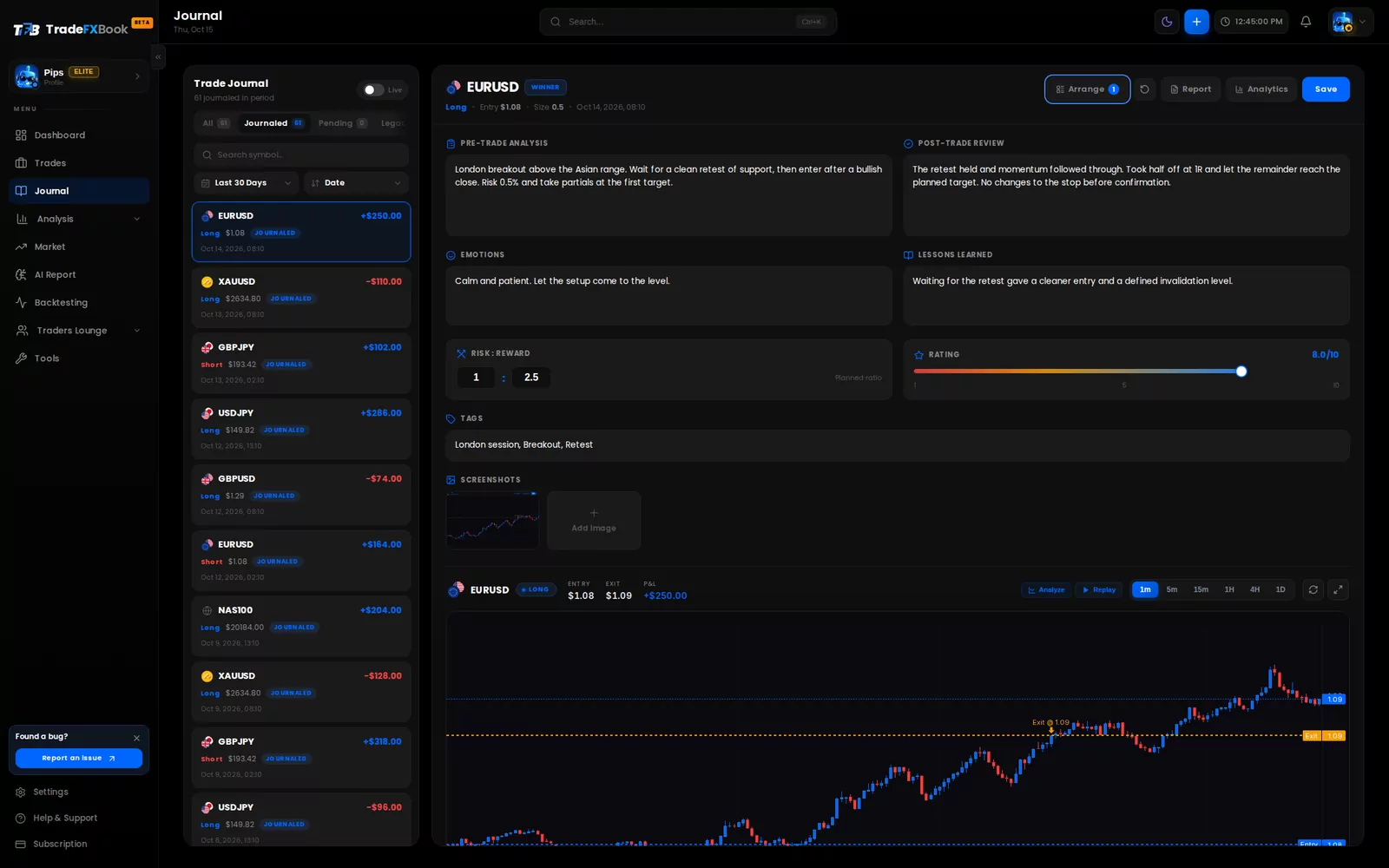
About TradeFXBook
A trading journal for forex, commodities and indices traders. Keep your trades, notes and performance together, with historical replay for testing a setup.
TradeFXBook brings trade history, journal entries, performance analytics and practice into one product. A trade record captures the symbol, direction, size, prices and result. The journal adds the part a statement cannot explain: your setup, what you planned, how you executed it and what you learned.
The product is for forex, commodities and indices traders who want to review their own activity. You can begin with manual entry, connect supported MT4 or MT5 accounts on a paid plan, or use historical replay on Elite to keep a record of simulated practice.
A new journal can start with one manually recorded trade. Someone managing connected accounts can work from synced history. A trader testing an idea can use backtesting sessions. In each case, the record lets you compare the intended decision with the actual result.
Enter it manually, or connect a supported MT4/MT5 account on Pro or Elite for auto-sync.
Save the original plan, screenshots, execution notes and lessons beside the trade.
Review individual decisions alongside P&L, win rate, expectancy, drawdown and trade breakdowns.
Free includes manual entry for 15 trades per month, the latest 15 trades in history, 3 custom tags and analytics timeframes up to 1 month. Pro adds unlimited trades and history, unlimited tags, all analytics timeframes and up to 3 connected MT4/MT5 accounts. Elite includes unlimited connected accounts.
Prop firm accounts use the same MT4 or MT5 connection flow. Compatibility depends on the platform, broker and server. Use investor access when connecting an account for journaling, and read how connections and stored credentials work before entering account details.
Sync supplies the trading activity; your notes supply the explanation. Keep a setup name and risk convention consistent so later comparisons describe the same decisions. The journaling guide walks through a complete forex example.
This journal shows where pre-trade notes, post-trade reflection, tags and screenshots sit with a trade. Select it to inspect the fields.
Explore the journal
Elite backtesting includes historical replay, simulated market and pending orders, stops, targets, trade journals and session reports. It includes unlimited sessions and up to 50 saved backtest strategies. This gives practice its own record rather than relying on a chart you remember.
Pro and Elite include one AI report per trading account per week. Reports examine performance, recurring patterns, blind spots and rule violations, with an action plan for your review. Elite also includes AI economic event analysis. AI output needs your judgment; it does not establish that a strategy will be profitable.
TradeFXBook records and analyses trading activity. Historical replay uses simulated orders. A useful next step is to choose a question, collect the relevant trades and return to the evidence in a weekly review.
Manual entry on Free. Account sync on Pro and Elite.