What you get.
What you pay.
Compare plans for your routine; scroll sideways on small screens.
TradeFXBook suits a forex trader whose accounts are on MT4 or MT5 and whose main job is reviewing live trades. Pro covers that routine without paying for replay. Elite makes sense when historical practice or more connected accounts becomes part of the work.
TradeZella is worth the higher price when its wider connection coverage or mentoring workflow solves a real problem. Decide which accounts and review activities you need first. A lower subscription price has little value if the tool cannot support the way you trade.
| Feature or plan | TradeFXBook | TradeZella |
|---|
| Monthly billing | Free $0
Pro $12.99
Elite $22.99 | Essential $35
Pro $59
Ultra $99 |
|---|
| Annual billing | Pro $128.99/year
Elite $238.99/year | Essential $315/year
Pro $531/year
Ultra $891/year |
|---|
| Connected trading accounts | Pro: 3 MT4/MT5 accounts
Elite: unlimited | Essential: 1
Pro: 50
Ultra: unlimited |
|---|
| Connection scope | MT4, MT5 and prop firm accounts on paid plans | Includes MetaTrader, cTrader and Interactive Brokers |
|---|
| AI review | 1 report per account per week on Pro and Elite | Weekly and monthly reviews; AI credits vary by plan |
|---|
| Manual backtesting | Elite: unlimited sessions, 50 saved strategies | Unlimited sessions on all three plans |
|---|
| Review with others | Community chat and trade rooms on Pro and Elite | Mentor Mode and Spaces; access varies by plan |
|---|
Checked 18 October 2026. USD. Annual plans are billed once per year. TradeZella pricing, supported brokers. TradeFXBook plans: pricing and limits.
Workflow discussion checked 19 October 2026 against official sources: TradeZella plans, AI review, replay and mentoring; supported connections.
Start with your
trading platform.
TradeZella lists cTrader and Interactive Brokers alongside MetaTrader.
Account coverage comes before account count
Write down the platform for every account you want to review, including any prop firm accounts. TradeFXBook's paid connection flow is MT4/MT5, with three accounts on Pro and unlimited on Elite. TradeZella also lists cTrader and Interactive Brokers. For a trader using those platforms alongside MetaTrader, that broader coverage can be a practical reason to choose it.
Test an actual week of trades before committing. Compare the journal with your platform's history, then open a winner, a loser and a trade with more than one exit. Check that the record is useful for your review, rather than deciding from an integration name alone.
Importing a result does not record the reason
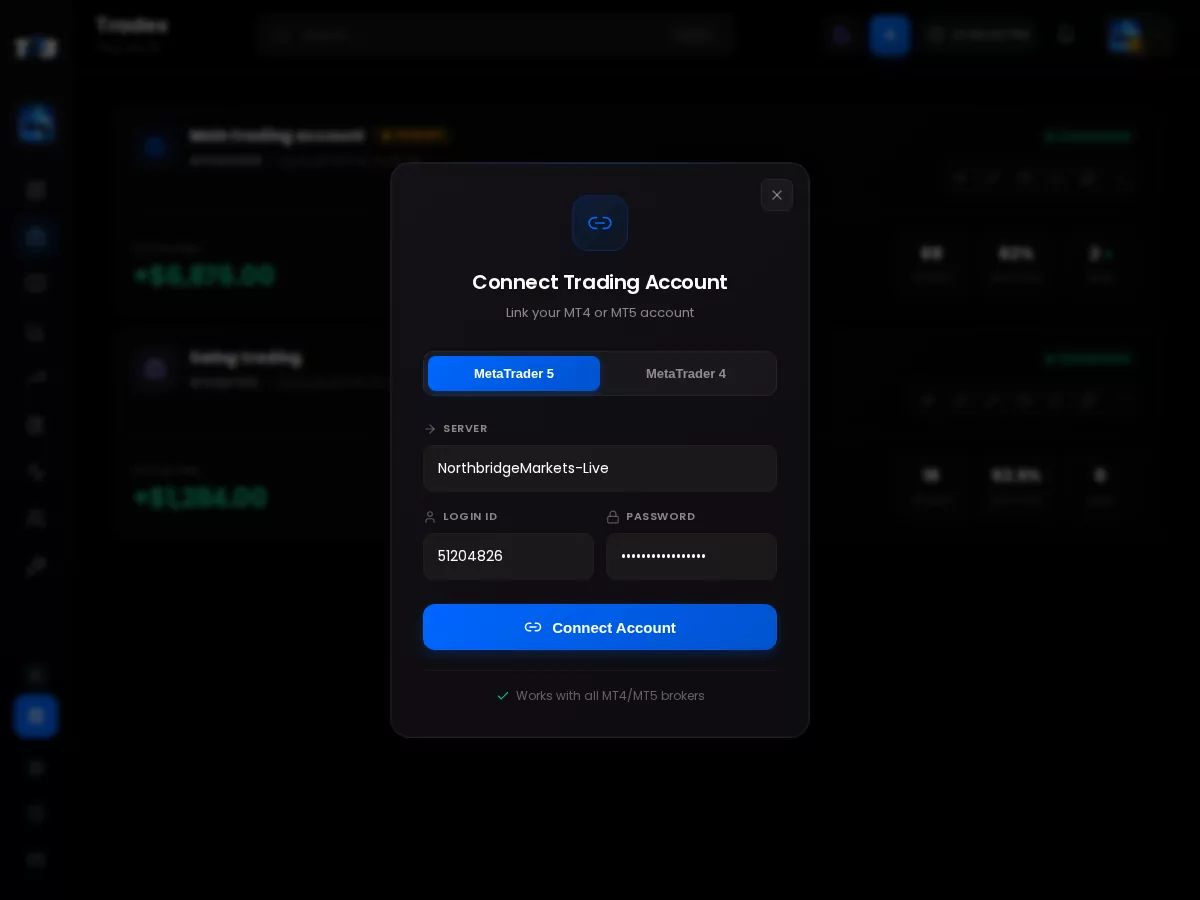
In TradeFXBook, the journal adds pre-trade analysis, post-trade review, screenshots and tags to the trade record. Use those fields to explain the setup and whether you followed it. Account sync reduces entry work, but the useful context still comes from you. The connection form below illustrates where the paid MT4/MT5 workflow begins.
Connected accounts
Keep MT4 and MT5
in one journal.
Pro syncs three MT4/MT5 accounts, including prop firm accounts; Elite removes the account limit.
See supported connections →
 ↗
Choose how
you review.
- TradeZellaTradeZella offers weekly and monthly AI reviews.
- TradeFXBookPro and Elite: one weekly AI report per account, with performance, recurring patterns and an action plan.
AI review and a second person's feedback serve different needs
TradeFXBook's weekly report gives you performance, patterns and an action plan to review against the underlying trades. TradeZella's weekly and monthly reviews use plan-dependent AI credits. Compare the cadence and allowance you will actually use. Read a report with your journal open and check whether its suggested next step follows from the trades you recorded.
TradeZella's Mentor Mode and Spaces are a stronger fit when an organised review with other people is central to the purchase. TradeFXBook's paid community chat and trade rooms offer a place to discuss trades, but should not be treated as an identical mentoring workflow.
Analytics should answer a trading question
TradeZella's plan comparison lists MFE/MAE statistics and best exit analysis. Look at those tools if your question is how much a trade moved for or against you, or how you managed the exit. TradeFXBook provides equity, win rate, profit factor and trade breakdowns. Try the report that answers your recurring question before deciding that a larger analytics menu is worth paying for.
Pay for the practice you intend to do
TradeZella includes unlimited manual backtesting sessions across its three plans; trade replay is on Pro and Ultra. TradeFXBook puts historical replay on Elite. Revisiting execution and practising a strategy are different tasks, so try the one you need rather than choosing from the word replay. If your immediate need is live journaling, TradeFXBook Pro is the less expensive starting point in the table.
Before you switch.
Test the whole routine.
Before switching, name the problem in your current routine: missing accounts, too much entry work, weak notes or a review you keep postponing. Pick a representative week and attempt the same review in the new tool. Find the trades, explain one mistake and choose one change for the next session.
- Keep a copy of your existing history, notes and screenshots. Check migration options separately; a broker connection does not establish that another journal's written notes will transfer.
- Count the accounts you need now. Compare the applicable plan, including the AI allowance and any mentoring access, rather than comparing only entry prices.
- Start with monthly billing while you establish the routine. Annual billing is an upfront commitment, so use it when the workflow has already earned a place.
Stay with TradeZella if its broader platform coverage or your existing mentoring arrangement is doing useful work. Choose TradeFXBook when MT4/MT5 coverage and its journal, analytics and weekly report match the job.
