Record the contract.
Record the trading window.
An index name does not tell you the cash value of a trade. Broker index CFDs can use different symbol names, contract sizes and point values. A stop of the same number of points on two instruments need not carry the same cash risk.
Timing also matters to the record. An entry around the underlying cash market open has different context from an entry later in the session or outside cash hours. Record the trading window, its timezone and the chart condition you used. Check the broker’s available hours rather than assuming the CFD follows only the cash exchange schedule.
- Point value and sizeKeep the broker’s cash value per point for your chosen size. Do not assume that one index point means one unit of account currency.
- Cash session contextName the market open, middle of the session or close when relevant. Include the timezone so daylight-saving changes do not confuse the review.
- The setup around the levelRecord whether you planned a breakout, retest or reversal and what had to happen before entry.
- Related exposureIf several index positions express the same broad market view, review their combined risk as well as each ticket.
Make different symbols
possible to compare.
Keep the broker’s symbol with the execution record and describe the instrument clearly in your notes. For a planned stop, cash risk depends on stop distance in points multiplied by the cash value per point at your position size, with relevant costs and currency conversion considered separately.
| Record | Include | Ask in the review |
|---|
| Contract and risk | Broker symbol, lots, point value and original stop distance. | Did the chosen size fit the planned cash risk? |
|---|
| Session | Entry time, timezone and relationship to the cash market open or close. | Are these entries being compared in similar conditions? |
|---|
| Context | Relevant economic release, range or trend and the level traded. | Was the trigger clear before entry? |
|---|
| Management | Changes to stops or targets, partial exits and the final exit reason. | Did the exit follow the plan for that trading window? |
|---|
On a phone, scroll the table sideways.
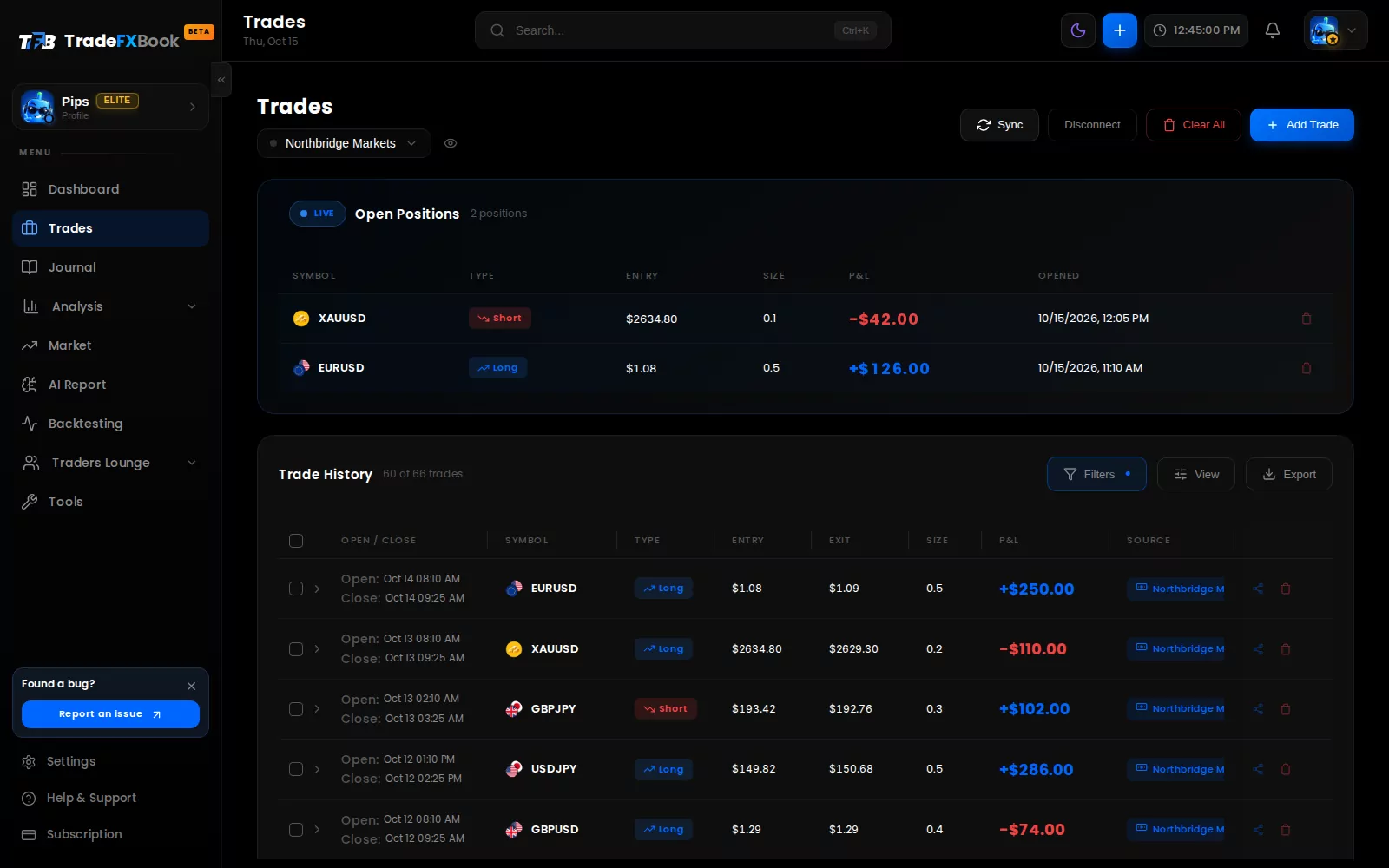
Index trade historyKeep the symbol
with the execution.
The trade list includes forex, gold and index CFDs. Read the symbol, size and result before returning to the notes that explain the setup.
Explore the journal →
 ↗
Review the window.
Then review the instrument.
Compare trades from the same instrument and entry window before combining index results. Check how many trades you took, whether size changed and whether one unusually large outcome dominates the period. Points alone cannot explain account-currency performance across contracts.
TradeFXBook provides symbol, day and session breakdowns. Its session groups use closing time in fixed UTC buckets, so they are not a direct label for an index’s cash-open setup. Keep that entry context in your own notes or tags and inspect the trades behind the group.
When a recurring problem is specific to the open, practise the same entry rule in historical replay rather than changing every part of the strategy. Keep the broker contract and live execution differences in mind when comparing simulated and live results.
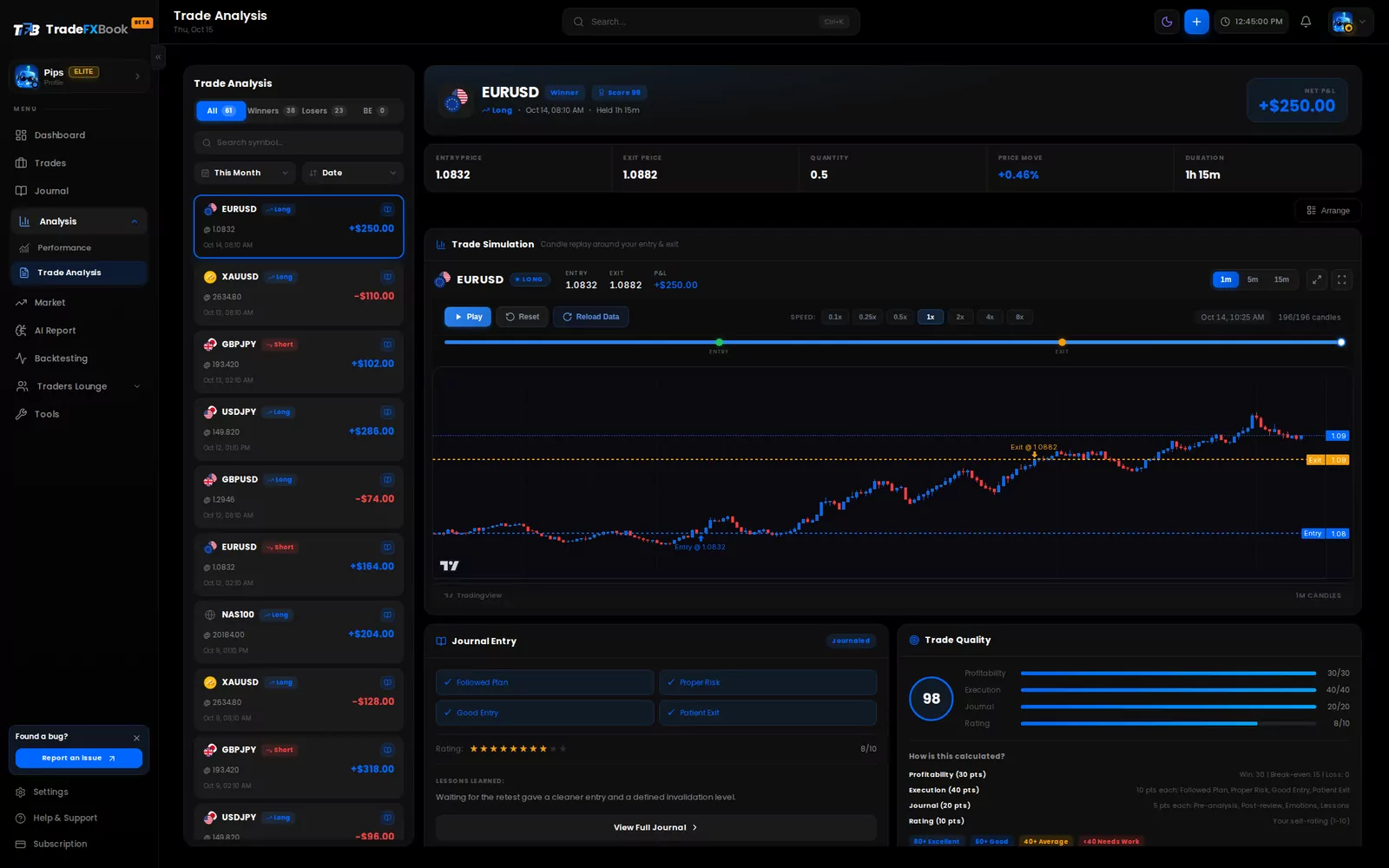
Trade analysisRead the groups.
Check the trade count.
Use the breakdowns to find which recorded symbols or sessions need a closer look. The journal explains whether the entries belonged to the same setup.
Explore analytics →
 ↗
Historical replay supports NAS100, SPX500, US30 and UK100. Its symbol list is separate from the index CFDs available in your connected broker account.
See historical replay →