
Connect account
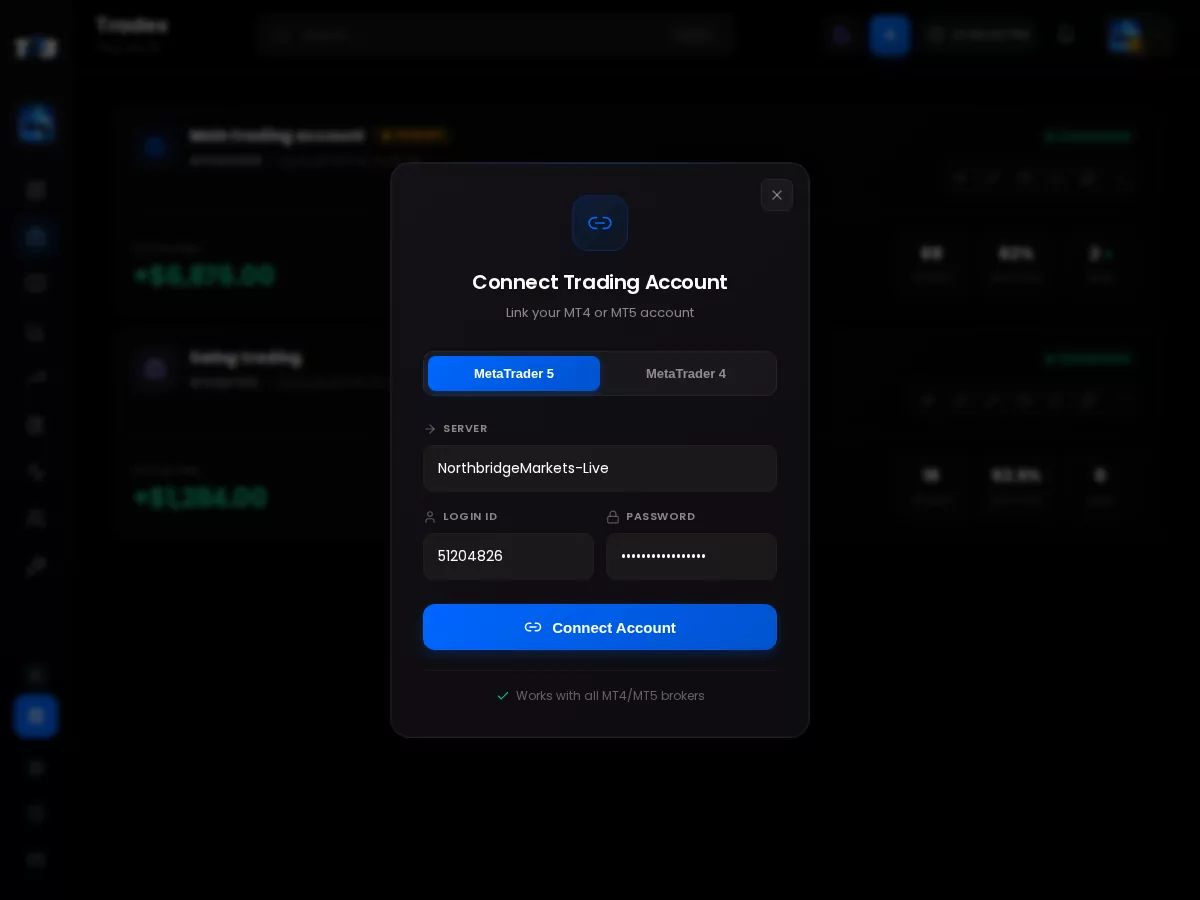
Choose MT4.
Choose MT4.
Find the server.
Use the platform, exact server name, login ID and investor password for your account.
Integrations / MetaTrader 4
Bring open positions and closed trade history from MetaTrader 4 into TradeFXBook. Auto-sync is available on Pro and Elite.
Have your broker server name, login ID and investor password ready.
Use the platform, exact server name, login ID and investor password for your account.
Open Profile, then Accounts. Select Connect Account and switch the platform to MetaTrader 4.
Type your broker or server name. Choose the exact server shown for your MT4 account from the search results.
Enter your login ID and investor password, then select Connect Account. Open positions can appear while full history is still being prepared.
Sync open positions and closed trades with symbols, direction, size, prices and times, plus profit, commission and swap.
Add the thinking in your journal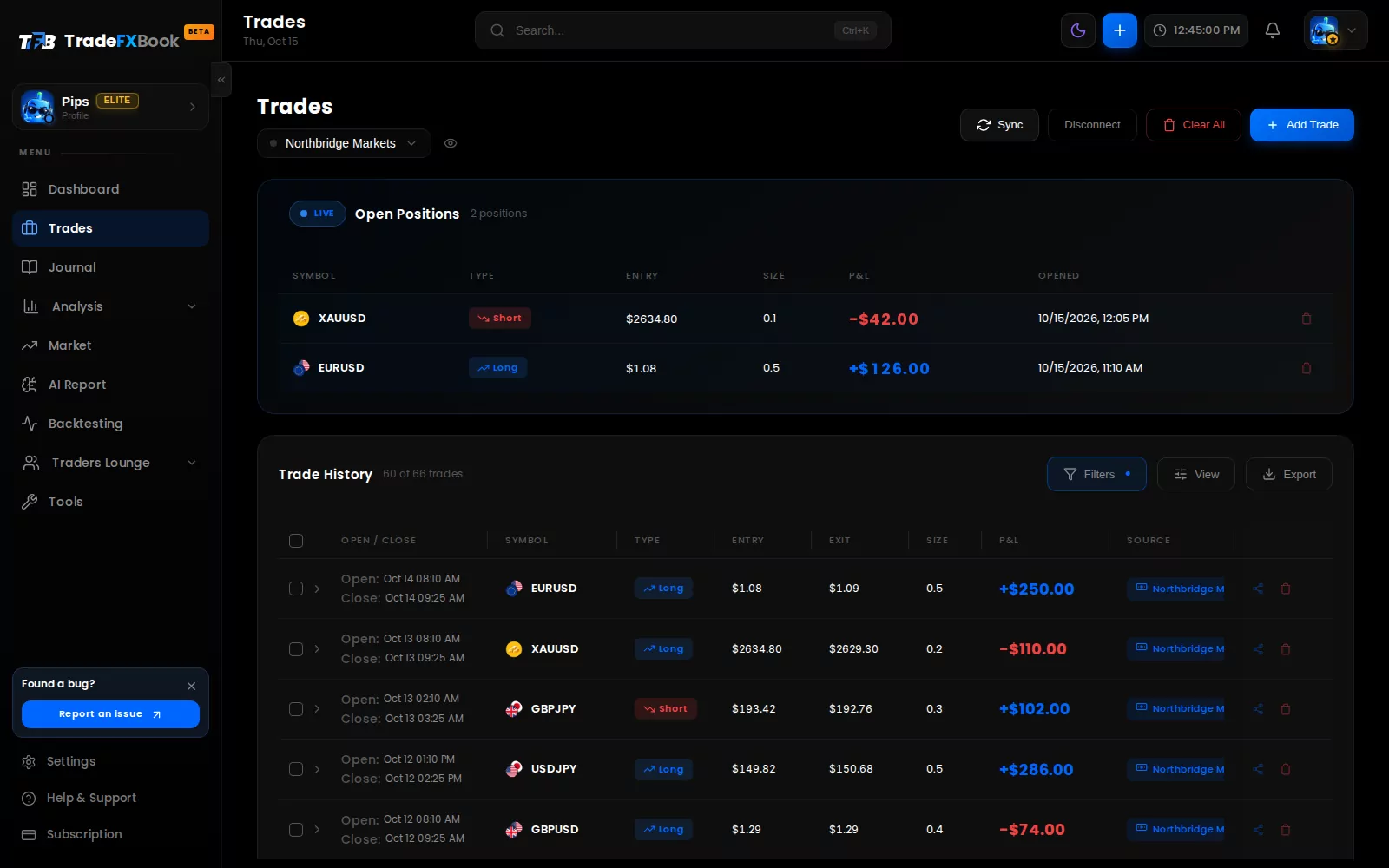
15trades
Free: manual entry each month, with the latest 15 trades in history.
3accounts
Pro: MT4/MT5 auto-sync with unlimited trades and history.
Elite
Unlimited MT4/MT5 account auto-sync, plus everything in Pro.
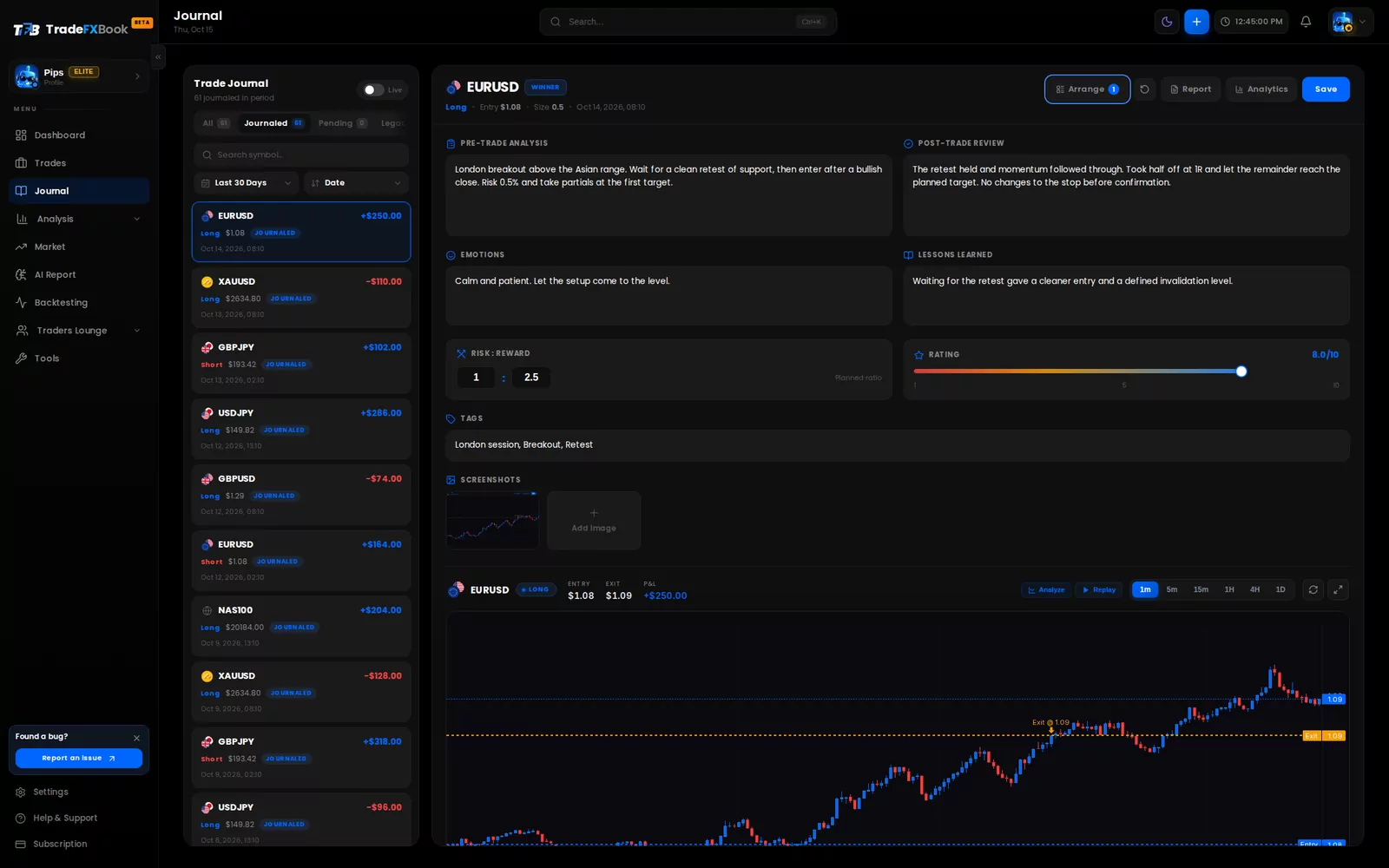
Keep the execution details together, then add the context in your journal.
Explore the trading journalOpen positions can appear while full history is still being prepared.
Your MT4 investor password. You also need the account’s login ID and exact broker server name.
Full history may take time while the broker prepares it. Open positions can be ready first, with history appearing as preparation finishes.
No. Pro’s 3-account limit is shared across connected MT4 and MT5 accounts. Elite supports unlimited connected accounts.
MT4 auto-sync is included with Pro and Elite.