
Connect account
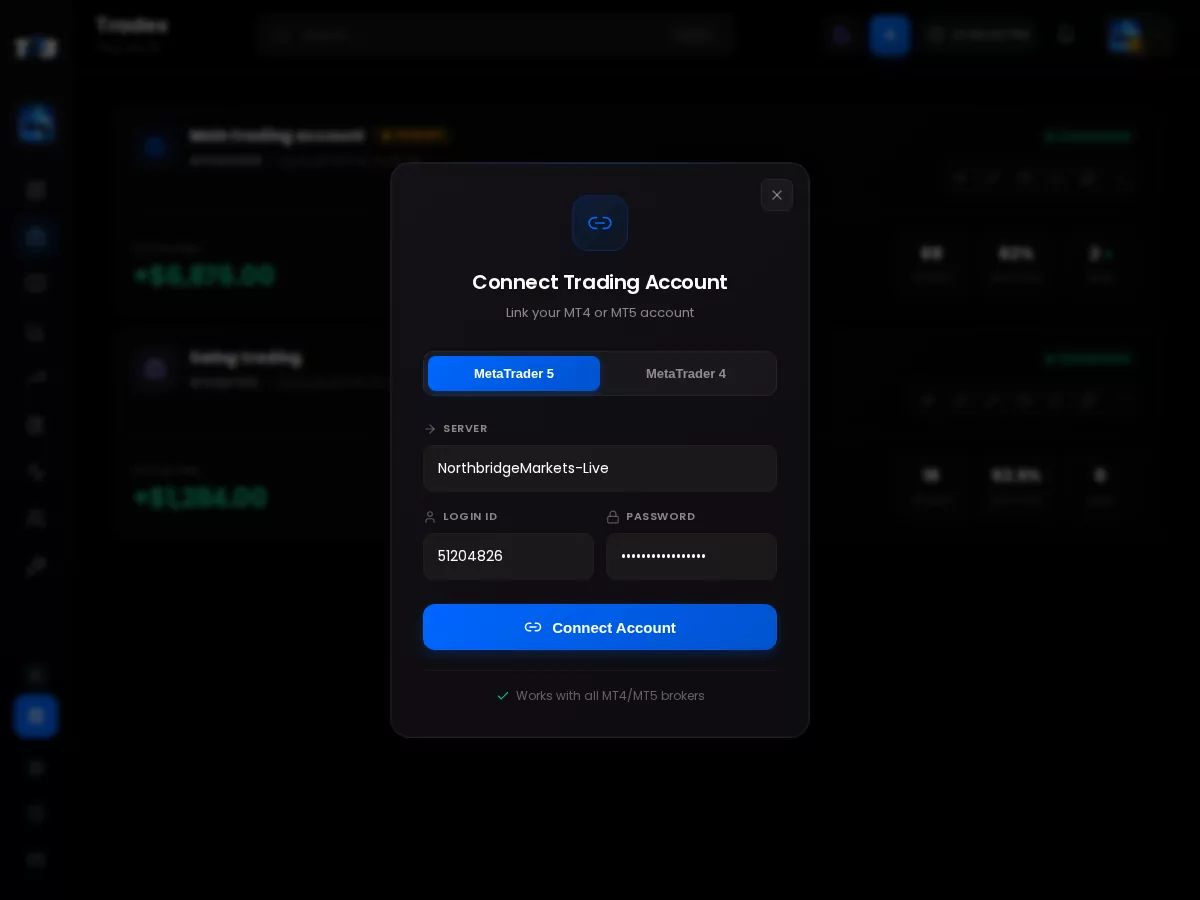
Choose the platform.
Choose the platform.
Find the server.
Use the platform, exact server name, login ID and investor password for your account.
Integrations / Prop firms
Most prop firm accounts run on MetaTrader. Connect yours through the MT4/MT5 form and bring positions and trade history into your TradeFXBook journal on Pro or Elite.
Use the platform, server and login your prop firm gave you for the account.
Use the platform, exact server name, login ID and investor password for your account.
In Profile, open Accounts and select Connect Account. Choose MT4 or MT5 to match your prop firm account.
Enter your prop firm's server name and select the exact server listed in your account details.
Enter the account login ID and investor password, then select Connect Account. Positions can appear before full history preparation finishes.
Sync positions and closed trades with symbols, direction, size, entry and exit details, profit, commission and swap, then add journal notes.
TradeFXBook for prop firm traders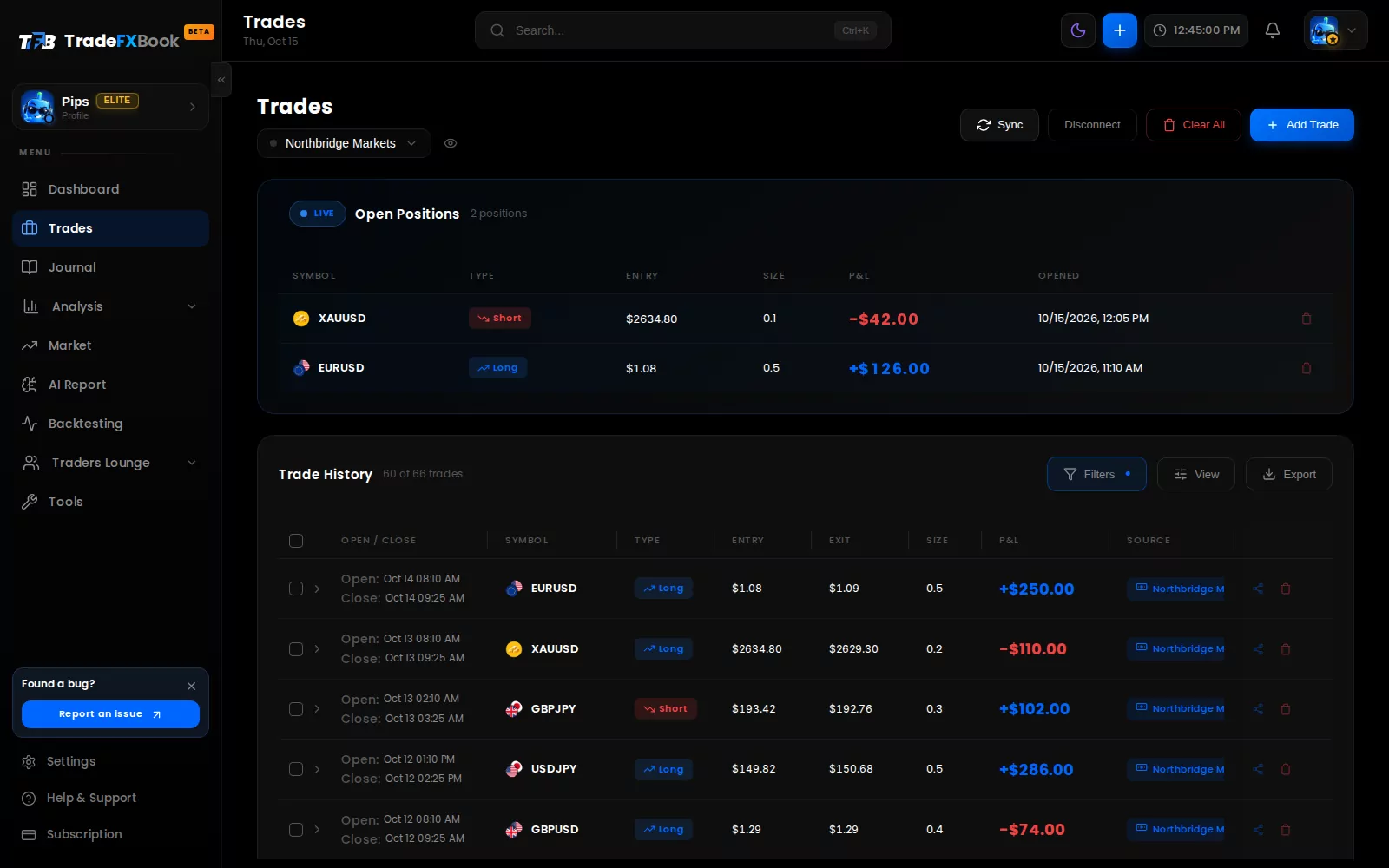
0connections
Free supports manual entry; prop firm account connections require a paid plan.
3accounts
Pro: MT4/MT5 accounts in total, including prop firm accounts.
Elite
Unlimited MT4/MT5 accounts for multiple evaluations or funded accounts.
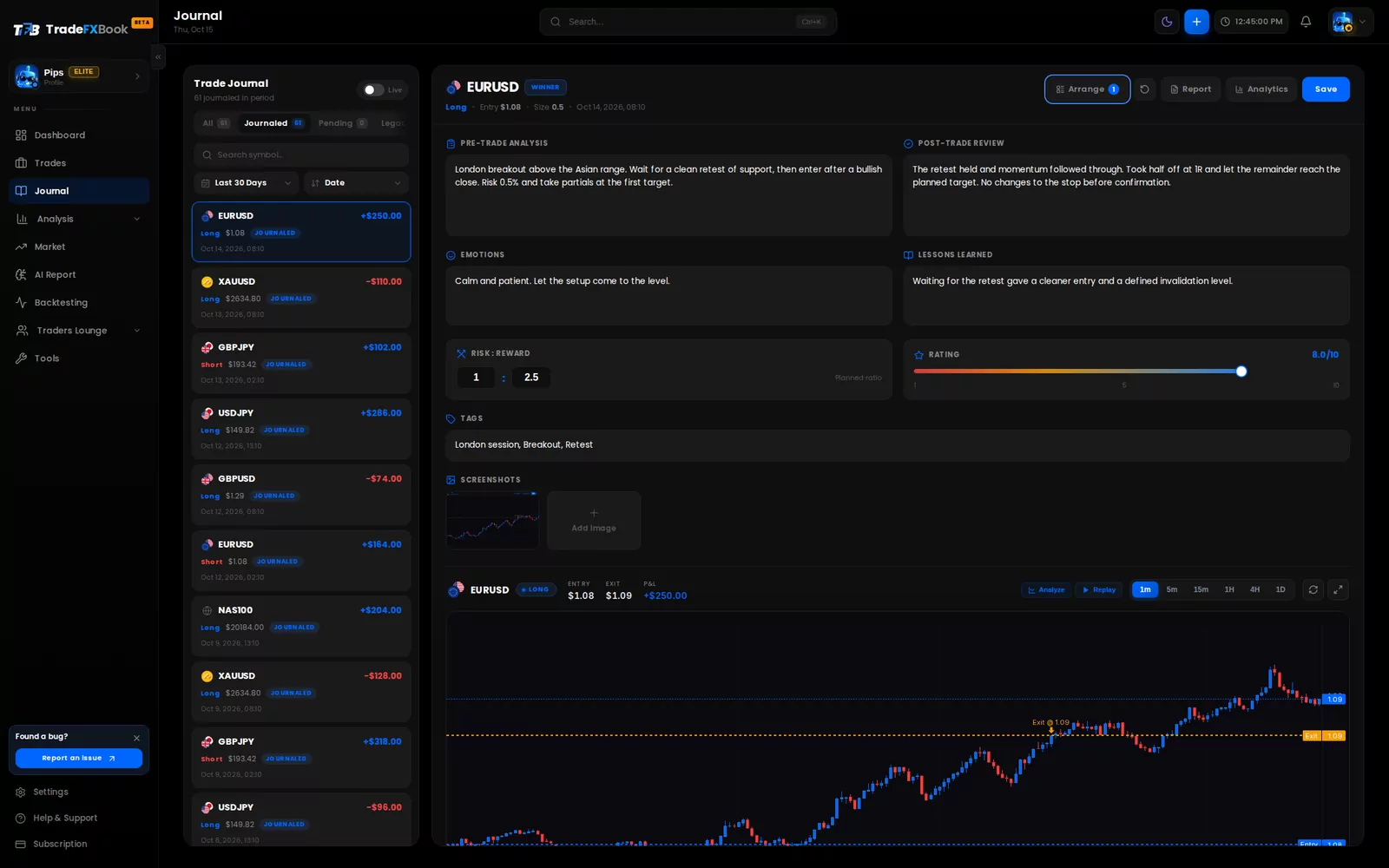
Keep the execution details together, then add the context in your journal.
Explore the trading journalOpen positions can appear while full history is still being prepared.
No. Use Connect Account and choose the platform and server for your prop firm account. The form asks for your login ID and investor password.
Yes. It connects through the same MT4/MT5 flow and counts toward Pro’s limit of 3 connected accounts. Elite has no connected-account limit.
No. TradeFXBook journals and analyses the trades on the account. Check drawdown limits and other challenge rules with your prop firm.
Prop firm MT4/MT5 accounts connect on Pro and Elite.