Small moves make
execution worth recording.
When your intended price move is small, spread, commission and the difference between intended and filled price deserve close attention. A high win rate alone does not show whether the average win is large enough to cover losses and trading costs.
A scalping journal also needs to be practical during a fast session. Keep a short, consistent entry note and a setup tag, then add detail during the review. The aim is to distinguish valid attempts from repeated entries that only look similar on a trade list.
- The triggerState the condition you acted on and what would invalidate it. “Momentum” is less useful than the actual event you waited for.
- Intended and actual priceKeep your planned level in the notes and the filled entry in the trade record. Explain a late entry or missed fill while you remember it.
- Costs and sizeCheck spread and recorded commission against the size and target distance. More trades can increase activity without improving the result.
- Attempt number and contextNote whether this was a first attempt or re-entry, the market conditions and whether the previous result influenced the decision.
Use a short routine.
Keep missed rules visible.
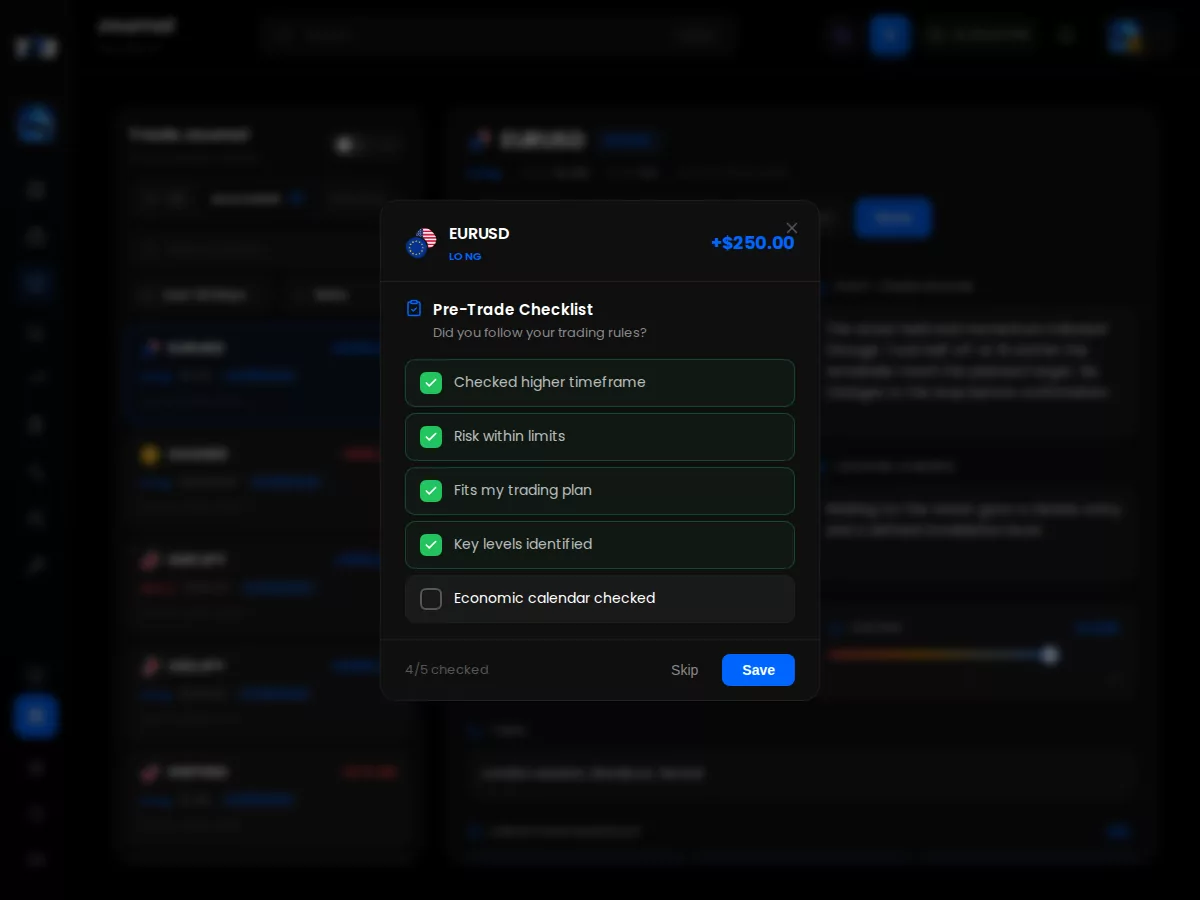
Choose checks that you can apply consistently: a defined trigger, acceptable trading conditions, a stop, and a size that fits the risk you chose. TradeFXBook supports checklist templates with up to 15 items on Pro and Elite. You do not need to fill the template to make it useful.
After the trade, record which rules you followed. Keep setup tags separate from execution notes so a planned losing trade is not grouped with an entry that lacked confirmation. A winning rule break still belongs in the review.
Execution checklistCheck the process.
Then read the result.
The checklist keeps followed and missed items visible beside a trade. Use it to support a specific execution review, rather than relying on the outcome alone.
Explore execution checklists →
 ↗
Review the costs.
Review the holding time.
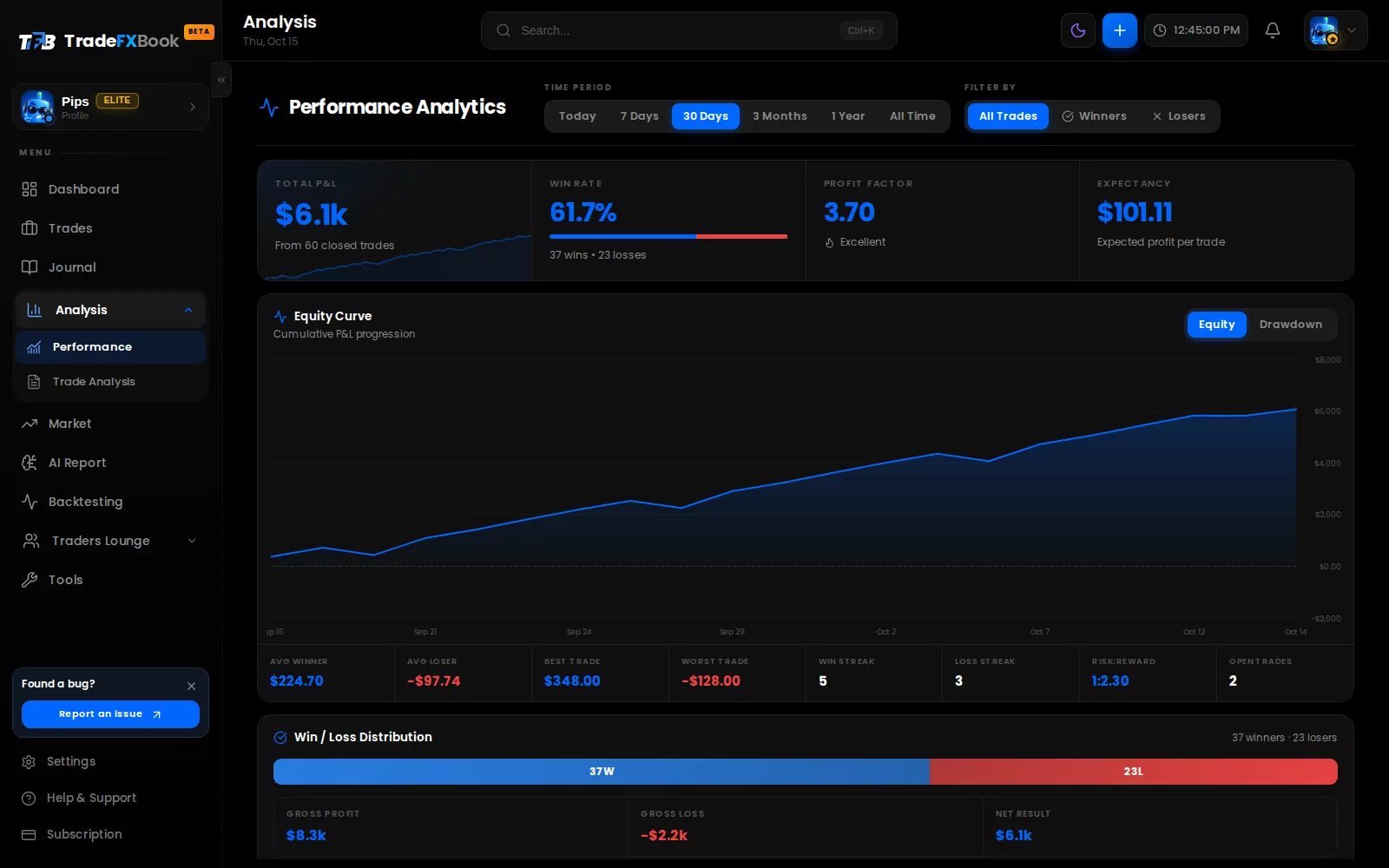
Read average wins and losses alongside win rate, expectancy and total recorded commissions. TradeFXBook also shows average holding time for winners and losers. Use those summaries to locate a question, then return to the trades and notes before deciding what caused the pattern.
| What you notice | What to inspect | What to record next |
|---|
| Many small wins, weak overall results | Average wins, average losses, costs and unusually large losses. | Whether the planned exit and stop rules were followed. |
|---|
| Losing trades held longer | Holding-time summaries and the exit reason for each trade. | Whether you delayed an exit after the setup failed. |
|---|
| More entries after a loss | The trade sequence, setup tags and entry notes. | The new trigger that justified each re-entry. |
|---|
| Different results across hours | Symbol and session results with your entry-window notes. | Conditions at entry, including spread and nearby events. |
|---|
On a phone, scroll the table sideways.
Keep slippage observations in your notes when you have the intended price to compare. A screenshot alone does not establish your fill quality. Use the broker record for actual fills and costs, and avoid attributing every difference to the strategy.
Performance analyticsPut frequent trades
in context.
Use statistics and holding-time summaries with the journal. Similar-looking entries can produce different results because of size, costs or management.
Explore performance analytics →
 ↗
A fast review routine still needs a complete record. Pro provides unlimited trades and history, unlimited tags, all analytics timeframes and sync for 3 MT4/MT5 accounts at $12.99/month.
Compare plans →