
Alongside your journalFrom pip value
From pip value
to position size.
The app includes a position size calculator. Use your stop distance and risk budget when planning the position.
Calculate position size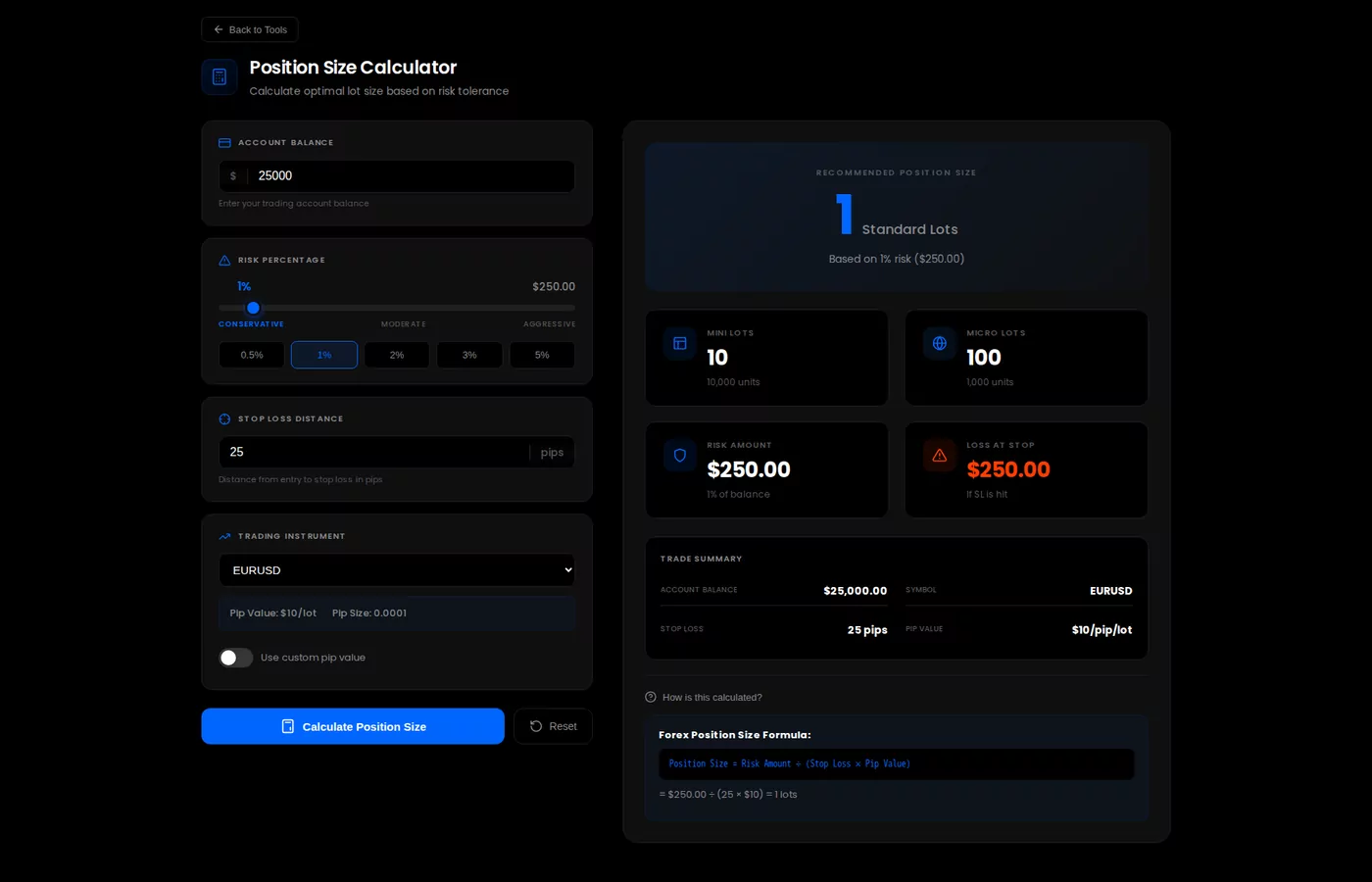
Free forex tools
See what one pip means for your pair, lot size and account currency. Includes JPY pairs and gold.
Change any input to update the result. No signup, no live rate feed.
Your result
…
Enter your values to see the result.
“Value of one pip” is the account-currency change for one pip at the lot size you entered. “Pip value per lot” is the same calculation for one full lot. Neither figure is the trade’s total profit or loss: multiply by the number of pips moved, with the correct sign, to estimate the price result.
Multiply lots by the contract units in one lot, then by the pip size. This gives the value in the pair’s quote currency. Multiply once more by the quote-to-account rate to express it in your account currency. Use 1 when the quote and account currencies match.
The calculator uses 100,000 units per forex lot, 0.0001 per pip for most pairs and 0.01 for JPY quotes. For XAUUSD it uses 100 oz per lot and calls each 0.01 price increment a pip. That gold convention needs checking against your broker’s terminology.
| Example input | Calculated result |
|---|---|
| 1.00 EURUSD lot in a USD account | 1 × 100,000 × 0.0001 × 1 = $10.00 per pip. Position quantity: 100,000 EUR. |
| 1.00 USDJPY lot in a USD account, with 1 JPY = 0.006666667 USD | One pip is ¥1,000. Multiply by the supplied conversion rate to display $6.67 per pip, rounded to cents. |
The JPY conversion is an illustrative input, not a current exchange rate. For the EURUSD example, a 20-pip move represents $200 before commission or swap. Halving lots halves pip value; the pip size itself does not change.
Use pip value to translate a stop or target distance into money at a proposed size. Multiply the displayed value by stop pips for the price-to-stop exposure, then allow for costs separately. If you need to find the lots from a cash budget instead, use the position size calculator linked below.
Recalculate when lots or the conversion rate changes. The calculator has no live exchange-rate feed.
The same tool inside the app.
The app includes a position size calculator. Use your stop distance and risk budget when planning the position.
Calculate position sizeNo. A pipette is one tenth of a pip. A fifth decimal place on EURUSD, or a third on USDJPY, is usually a pipette.
No. When your account and quote currencies differ, enter the account-currency value of one quote-currency unit. The default 1 is a placeholder. Rates are never fetched automatically.
One standard forex lot is 100,000 base-currency units. For XAUUSD this calculator assumes 100 troy oz. Mini and micro forex lots are 0.1 and 0.01 standard lots.
Keep your trades and notes together in TradeFXBook.