Trader POV

Their account.
A shared view.

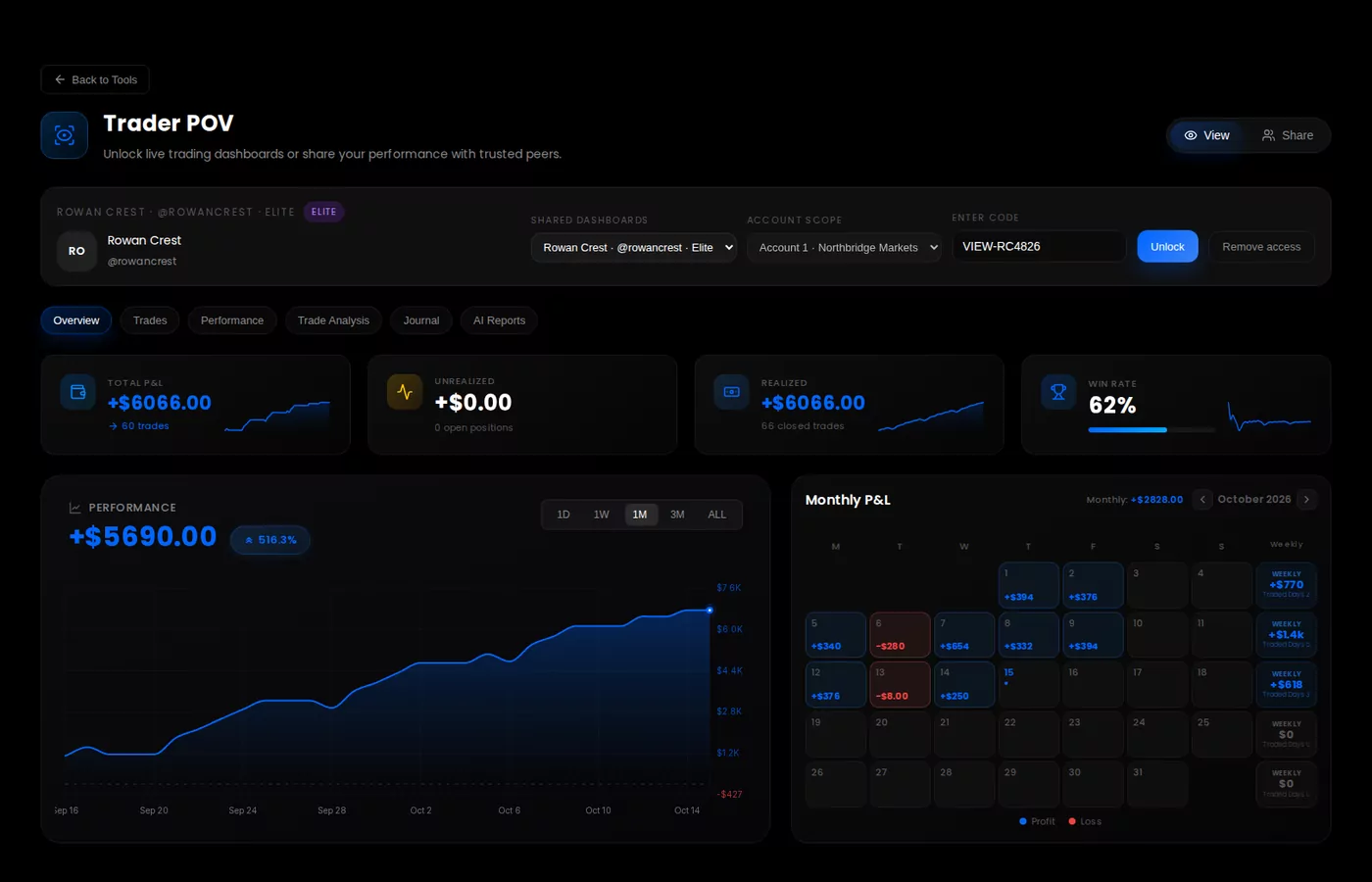
Review a trader's dashboard, trades and performance in read-only mode. The owner selects one connected account and creates a code for one viewer.

Trader POV showing a trader's shared account dashboard, performance and monthly profit and loss.

A closer look.
With the owner in control.

Read-only trading record

Read the notes.
Review the execution.

View the overview, trades, performance, Trade Analysis and journal, including notes, tags and ratings, without editing the owner's trades.

  • The owner can revoke the code or a viewer's access
  • Shared P&L follows visibility and streamer mode settings
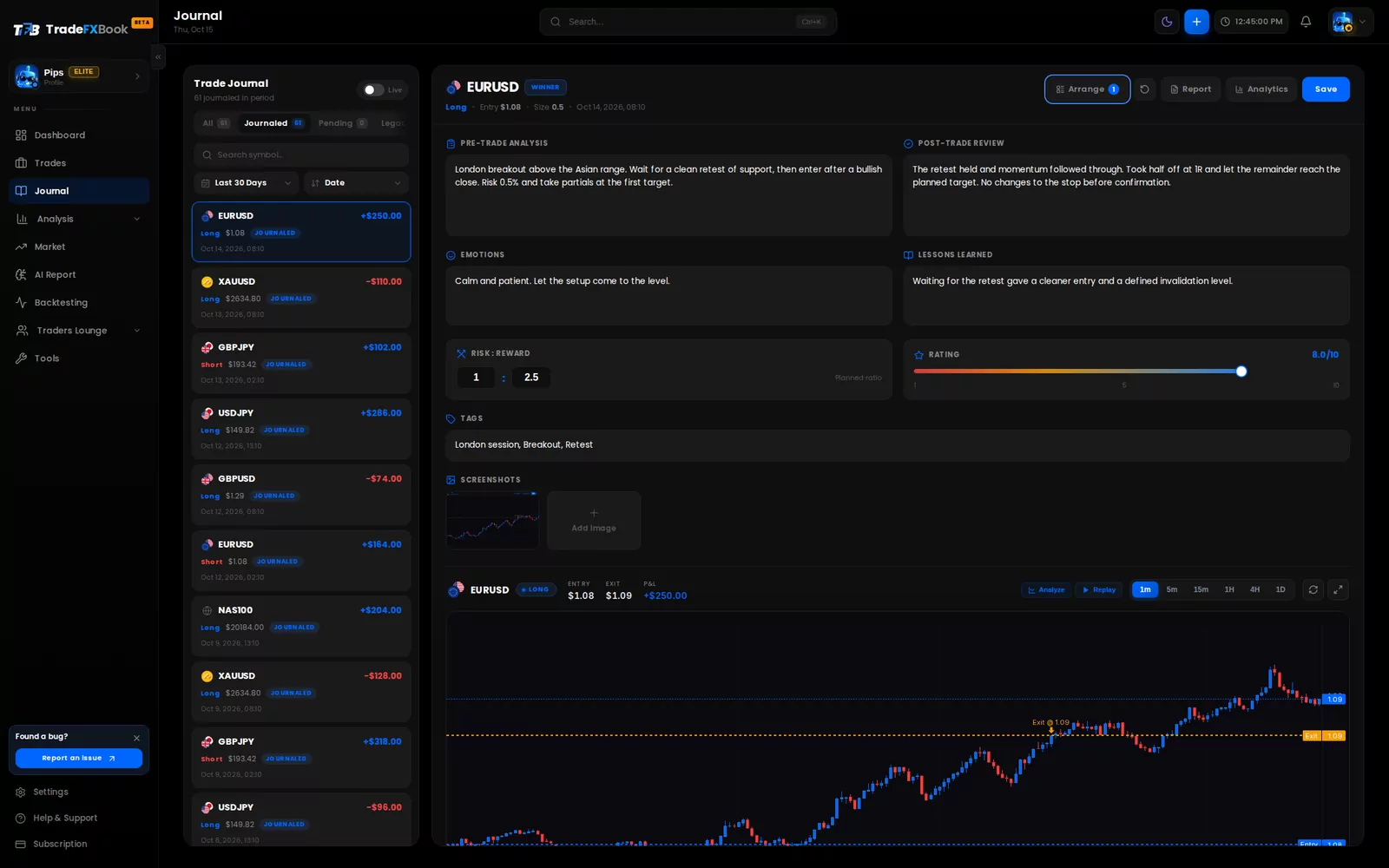
Journal view with trade notes, tags and ratings, which can be reviewed through Trader POV.

One account. One viewer.
A code with an expiry.

  1. Choose the account

    In Trader POV, open Share, select a connected account and generate a code with a 5-hour or 24-hour expiry.

  2. Pass on the code

    Send the code to your reviewer; one viewer can redeem it, and access ends at expiry.

  3. Open the shared view

    Sign in to TradeFXBook, open Tools, select Trader POV and enter the code; the shared dashboard appears under View.

Viewing starts on Free.
Connections and AI have their own plans.

Trader POV is available on every plan; viewers need a TradeFXBook account and a valid code.

Shared AI report generation is limited to 1 report per account each week. See plan details.

Your trading, on the record

Bring the record
to the conversation.

Start for free

Create your account free. View shared accounts with a valid code.