Compare the setup.
Then the cost.
This covers Forex Tester desktop, a separate product from Forex Tester Online; scroll sideways on small screens.
Forex Tester desktop is the relevant choice when you want its Windows testing environment and strategy tools. Compare the licence and data package together, including the computer on which you plan to practise.
TradeFXBook Elite suits a browser-based practice routine alongside a connected MT4/MT5 journal. Its recurring price includes replay and live-account review. These are different purchases, so decide whether you need a dedicated desktop testing setup, a journal with practice, or both for distinct jobs.
| What matters | TradeFXBook Elite | Forex Tester desktop |
|---|
| Where you practise | Browser-based historical replay | Installed Windows application; one computer per licence |
|---|
| Billing | $22.99/month or $238.99/year | One-time software licence with Basic Data included; regional offers vary |
|---|
| Data options | Historical replay included in Elite | Basic Data or optional Super Data with monthly, annual or lifetime purchase options |
|---|
| Strategy tools | Unlimited backtesting sessions, 50 saved strategies | Easy Forex Builder and Strategy Optimizer |
|---|
| Test review | Saved sessions, simulated trades and session performance statistics | Built-in test statistics and a profit chart |
|---|
| Connected-account review | Unlimited MT4/MT5 accounts, including prop firm accounts, plus trade notes and screenshots | A dedicated environment for testing on historical data |
|---|
Checked 19 October 2026. TradeFXBook prices are USD; annual billing is paid once per year. Forex Tester sources: licence and data packages, Windows requirements, licence scope and strategy tools, licence billing and test statistics. Exact Forex Tester prices are omitted because regional offers differ; VAT is calculated at checkout. TradeFXBook: plans and limits.
Workflow discussion checked 19 October 2026 against official sources: Forex Tester desktop requirements, licence scope and strategy tools; software and data purchase options.
Test the setup.
Keep the results.
Choose desktop testing if that environment and its strategy tools fit your process.
Start with the environment and the experiment
Forex Tester desktop is an installed Windows application, with one computer per licence. The desktop product is separate from Forex Tester Online. Check the right product before comparing platform support or pricing; the desktop licence in this table should not be read as an online subscription.
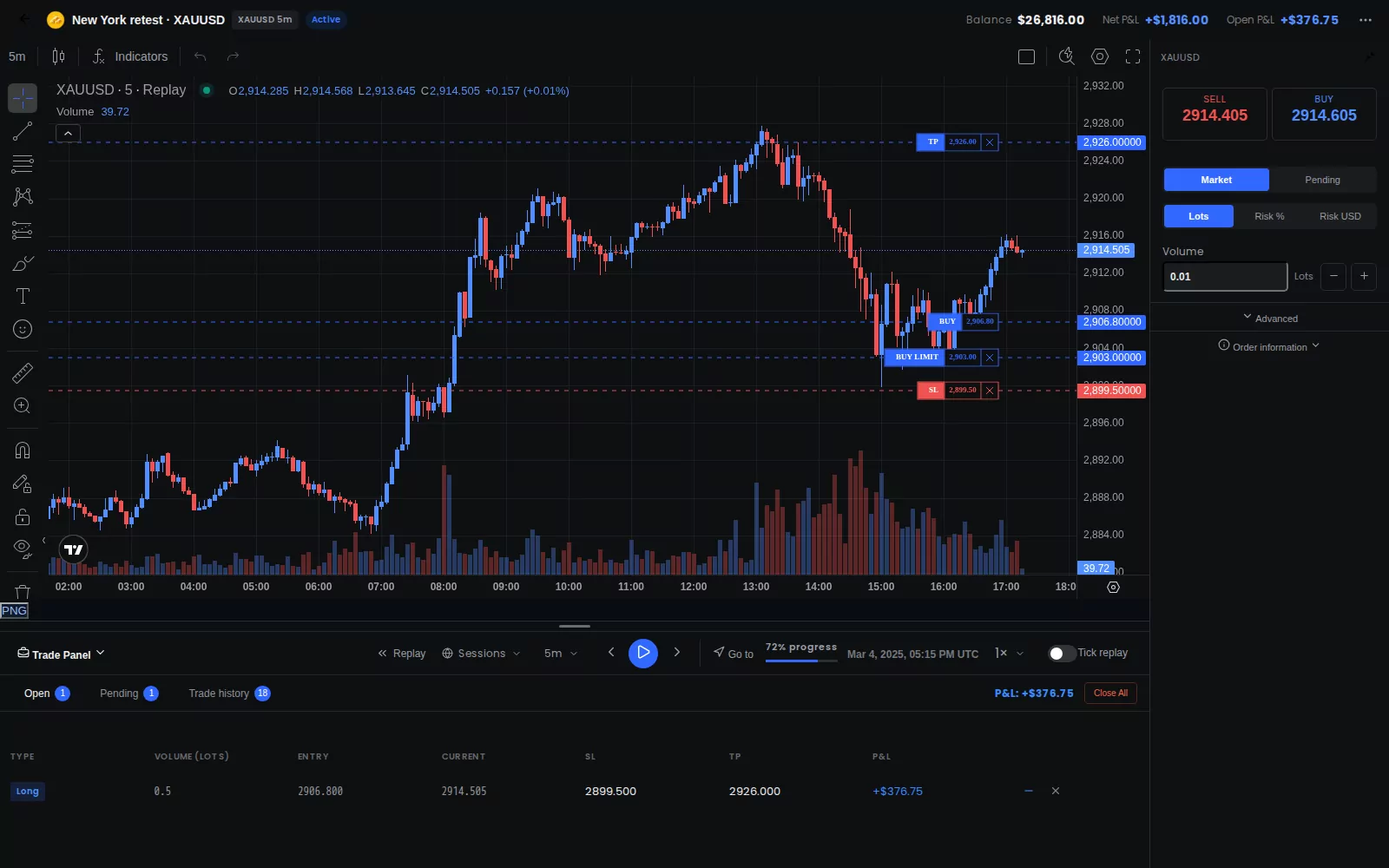
TradeFXBook Elite uses a browser workspace for historical replay and simulated order entry. Choose the symbol and dates for a session, then practise the setup you defined. The view below shows the chart, replay controls and simulated trade. Elite includes unlimited sessions and up to 50 saved strategies.
Historical practice and account sync are separate inputs
Practice begins with historical price data and simulated trades. A connected journal begins with the trades you actually took. TradeFXBook Elite also syncs unlimited MT4/MT5 accounts, including prop firm accounts on those platforms. Practice sessions and connected-account trades have separate records; bringing both into one app does not turn simulated results into live performance.
Elite backtesting
Replay the market.
Place the trade.
Replay historical price action and place simulated trades, with unlimited sessions and up to 50 saved strategies on Elite.
See backtesting →
 ↗
Practice and trading.
Room to review both.
Review practice sessions and connected-account trades in the same app, with separate records for each.
Review saved session trades and statistics; keep pre/post notes, screenshots and tags with MT4/MT5 trades in the journal.
Explore the journal →
Strategy tools can be a reason to choose the desktop product
Forex Tester desktop includes Easy Forex Builder and Strategy Optimizer. If those tools are part of how you develop or test a strategy, evaluate that process directly before replacing them with a manual replay routine. A similar chart is not enough to establish that two testing workflows do the same work.
Forex Tester provides built-in test statistics and a profit chart. TradeFXBook saves session trades and performance statistics for review, including equity and drawdown. In either workflow, keep the setup and risk rules fixed while comparing test periods so that the results answer a defined question.
Compare the whole purchase
The Forex Tester desktop licence is a one-time software purchase with Basic Data included. Optional Super Data has monthly, annual or lifetime choices. Check the data package required for your intended experiment and the regional checkout offer; a software-only figure may not represent the package you intend to use.
TradeFXBook Elite is $22.99/month or $238.99/year. It includes the connected journal, notes, screenshots and one AI report per account each week alongside replay. That combination is useful if live review is also a requirement. If you only need the desktop strategy tools, the journal bundle should not decide the purchase for you.
Before you switch.
Test the whole routine.
Write down one strategy-testing task before changing tools: the entry rule, exit rule, risk rule and historical period. Test whether the candidate lets you complete and review that task without changing the question halfway through.
- Check the intended computer and the required historical data before comparing costs.
- Run a session, review its trades and locate the saved results later. Keep your existing test records while you evaluate the new workflow.
- Test MT4/MT5 sync separately if connected-account review is part of the reason to choose TradeFXBook.
Keep Forex Tester desktop when its installed workflow and strategy tools are doing useful work. Choose TradeFXBook Elite when browser practice and the connected forex journal fit the routine. Check any transfer process separately; neither a licence nor a broker connection establishes that old test projects will move.
