What you get.
What you pay.
Compare plans for your routine; scroll sideways on small screens.
TradeFXBook is a focused choice for an MT4/MT5 trading record with notes, analytics and weekly AI reports. Its Free plan lets you try manual journaling; Pro adds sync, while Elite adds historical practice.
TraderSync is the more relevant shortlist entry when your review spans several markets or needs its detailed replay tools. Stocks, options, futures, forex and crypto coverage can matter more than the difference in starting price. Match the connection and replay tier to your actual trading before choosing.
| Feature or plan | TradeFXBook | TraderSync |
|---|
| Monthly billing | Free $0
Pro $12.99
Elite $22.99 | Pro $29.95
Premium $49.95
Elite $79.95 |
|---|
| Annual billing | Pro $128.99/year
Elite $238.99/year | Pro $269.52/year
Premium $449.52/year
Elite $719.52/year |
|---|
| Connected accounts | Pro: 3 MT4/MT5 accounts
Elite: unlimited | Pro: 5
Premium and Elite: unlimited |
|---|
| Import workflow | MT4/MT5 auto-sync on paid plans, including prop firm accounts; manual entry on Free | Auto-sync on supported connections; file imports for other listed platforms |
|---|
| Journal review | Pre/post notes, screenshots and tags | Trade notes, custom tags and filtering |
|---|
| AI review | 1 report per account per week on Pro and Elite | Cypher Assistant; daily message limits vary by plan |
|---|
| Historical practice | Elite backtesting with unlimited sessions | Market Replay; data precision and tools vary by plan |
|---|
Checked 18 October 2026. USD. Annual plans are billed once per year. TraderSync pricing, supported connections, market replay. TradeFXBook plans: pricing and limits.
Workflow discussion checked 19 October 2026 against official sources: TraderSync plans, Cypher and replay tools; connection methods.
Match the journal
to your markets.
TraderSync supports stocks, options, futures, forex and crypto.
Check the method, not just the platform name
TraderSync's directory distinguishes automatic connections from file-based imports. Those lead to different daily routines: one brings in supported account data automatically, while the other requires an export and upload. Follow the instructions for your exact platform before deciding how much work a connection will save.
TradeFXBook uses MT4/MT5 auto-sync on Pro and Elite, including prop firm accounts on those platforms. Free is manual entry. If you trade entirely through MetaTrader, start by testing that narrower workflow. If you trade elsewhere too, include those accounts in the comparison rather than testing only the easiest one.
Use a question to test the journal
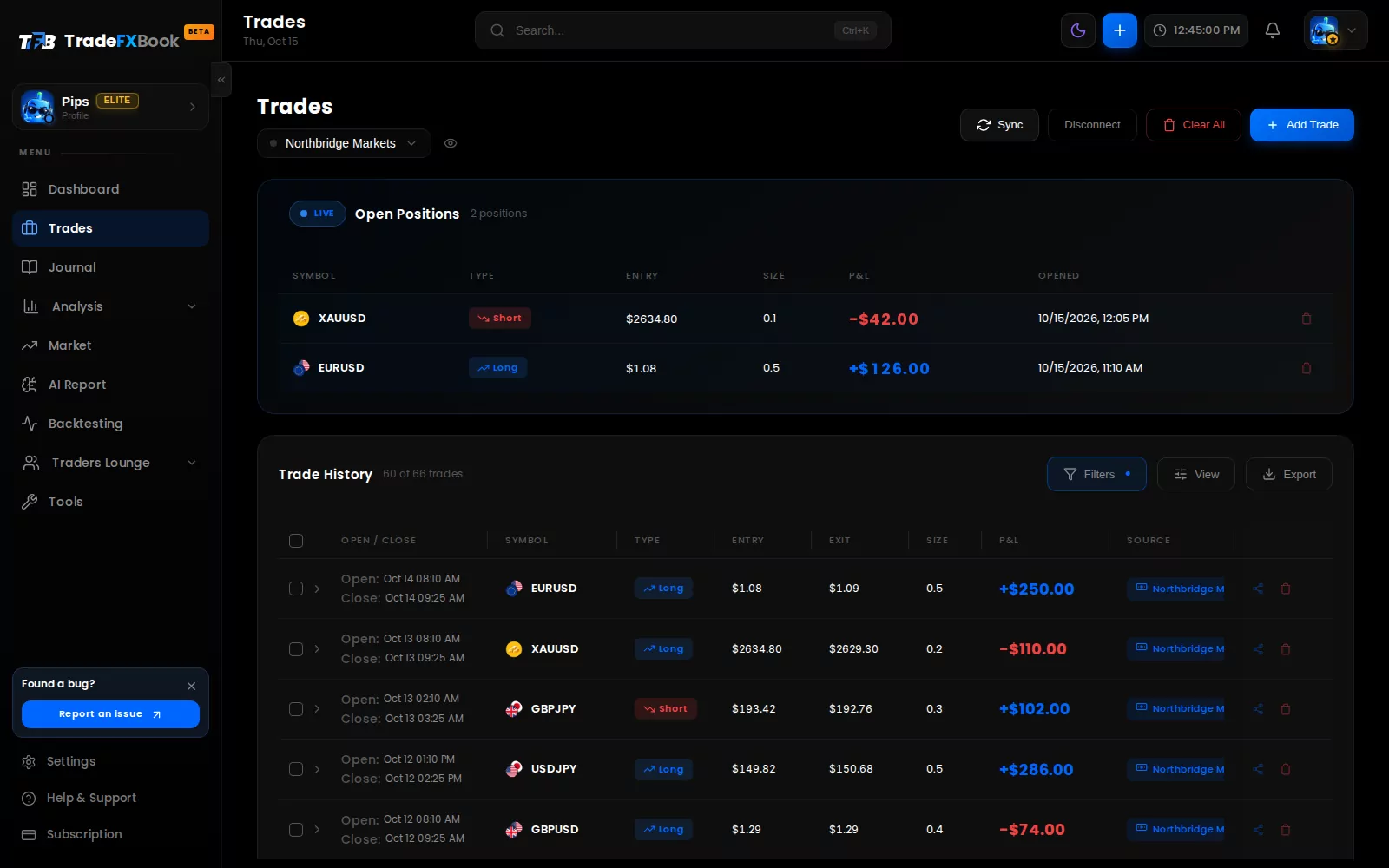
Try to answer: which trades followed my setup, and which were exceptions? In TradeFXBook, use the trade list to find the record, then add the pre/post notes, screenshot and tags that explain the decision. TraderSync also has trade notes, custom tags and filtering. Consistent labels matter more than filling every available field; choose a small set you can apply after each session.
Trading journal
A record for your
forex routine.
Review trades by symbol, result and tags; sync MT4/MT5 on paid plans or enter manually on Free.
Explore the journal →
 ↗
Decide how much
replay detail matters.
- TraderSync EliteTraderSync Elite lists 250ms market replay and advanced tools including Level II and Time & Sales.
- TradeFXBook EliteElite: historical replay, simulated trades and session results, plus unlimited MT4/MT5 accounts and weekly AI reports for $22.99/month.
Compare an AI conversation with a weekly report
TraderSync's Cypher Assistant has daily message limits that vary by plan. TradeFXBook Pro and Elite provide one report per account each week. A conversation suits follow-up questions; a weekly report suits a scheduled review. In either case, check the underlying trades and decide what action you will take rather than treating generated text as the review itself.
Replay detail should match the decision you are practising
TraderSync Elite lists 250ms replay, Level II and Time & Sales. Those are reasons to investigate it when that level of market detail is part of your process. Check the data and tools for the market you actually trade; a plan label alone does not settle that question.
TradeFXBook Elite combines historical replay, simulated trades and session results with the connected journal. Review win rate, equity and drawdown after practice, then compare your live decisions separately. It suits a trader who wants those activities in one app and does not need to choose a plan around the advanced tools listed above.
Before you switch.
Test the whole routine.
Test the full route from an account record to a useful review. A clean dashboard is only the start: the real test is whether you can find a trade, understand the decision and return to it next week.
- Choose one ordinary week, including a losing trade and any complicated exits. Reconcile the imported or synced record with the platform history.
- Repeat the check for every market and connection method you rely on. Do not assume a successful MetaTrader test proves the rest of your setup.
- Run one practice session using the detail your strategy needs. Then write down which paid features changed the review and which you did not use.
For an MT4/MT5 journal without replay, compare TradeFXBook Pro with the relevant TraderSync tier. For replay, compare the required tiers rather than their cheapest plans. Keep your previous notes and history available until the new routine works.
