Keep the sequence.
Explain the day’s result.
A green or red day can hide several different kinds of execution. A clean first entry, an unplanned re-entry and a late trade taken out of frustration may all end up in the same total. A day trading journal should preserve the order of those decisions, not only the final P&L.
Start with the session you planned to trade: the instruments, market conditions, relevant events and what would make you stop. Keep each trade’s setup and risk decision separate. At the end of the session, read the sequence against the plan you began with.
- Before the sessionWrite the trading window and timezone, levels or setups you are watching, and your own conditions for staying out or stopping.
- At each entryKeep the setup trigger, original stop and target, size, and whether this was the first attempt or a re-entry.
- At each exitRecord why the position closed and any change to the plan. Keep actual management separate from what you wish you had done.
- After the sessionExplain the point where your behaviour changed, if it did. Include a good decision to pass on a trade as well as trades you took.
Review the trades
behind the calendar.
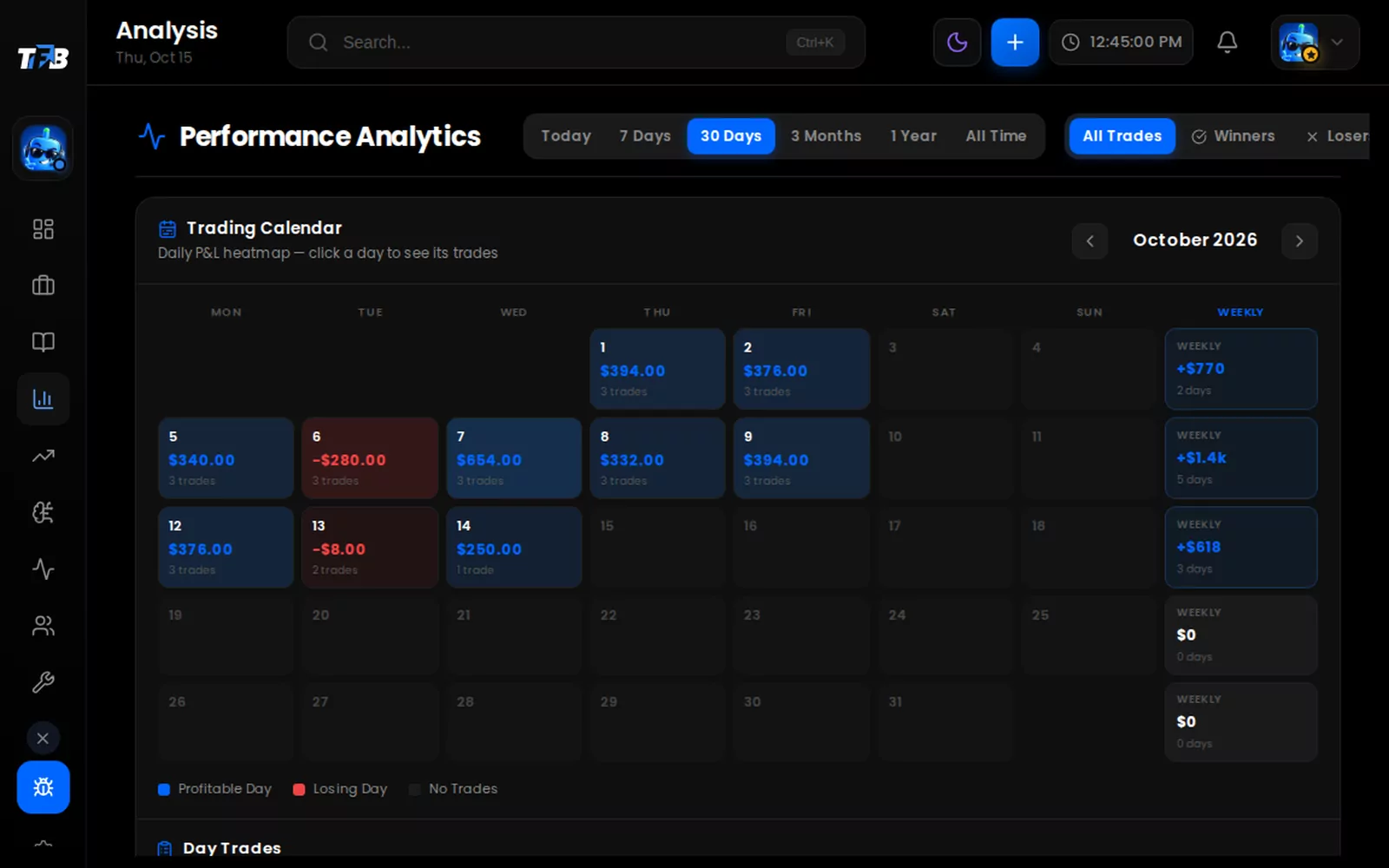
Use the P&L calendar to choose a day, then read its trades in order. Compare the start of the session with later entries. Did a loss make the next setup feel more urgent? Did you increase size, trade a different symbol or stay beyond your planned window?
Keep the review specific. “I gave back the morning’s gains” describes an outcome. “I took an extra entry after my trading window ended” describes an action you can recognise next time.
| Part of the day | Check | Record for next time |
|---|
| First planned opportunity | Was the entry condition present and the risk defined? | A clear example of the setup you intended to trade. |
|---|
| Re-entries | Was there a new valid trigger or only a wish to recover? | The condition that made another attempt acceptable. |
|---|
| Later trades | Did size, frequency or setup quality change? | The point where the session drifted from the plan. |
|---|
| Decision to finish | Did you follow your planned stop conditions? | What you will check before extending another session. |
|---|
On a phone, scroll the table sideways.
Daily P&L calendarOpen the day.
Read the sequence.
The calendar shows daily P&L and weekly totals. Select a day’s trades to move from the outcome into the decisions that produced it.
Explore performance analytics →
 ↗
Keep daily notes useful
for the weekly review.
Use stable setup tags and the same questions each day. At the weekly review, compare similar entries across days rather than judging the whole process by your best or worst session. Check trade counts and size alongside the results.
TradeFXBook’s analytics include symbol, day and session breakdowns, average wins and losses, holding times and the equity curve. Its session groups use closing time in fixed UTC windows. If you want to study entries at a particular market open, keep that entry window in your notes or tags.
Write one practical instruction for the next session from the pattern you found. If rushed re-entries are recurring, define the confirmation you need before another attempt. Keep the rule stable long enough to review whether you followed it.
Pro adds unlimited trades and history, unlimited tags, all analytics timeframes and auto-sync for 3 MT4/MT5 accounts at $12.99/month. Use the imported execution record, then add the reason for each decision.
Build a weekly review →