Find what changed.
Before changing the setup.
Uneven weeks can come from different things: fewer valid opportunities, a change in market conditions, different position sizes, or execution that drifts after a loss. A weekly total blends them together. If you rewrite your strategy after every difficult week, you lose the chance to find which part actually needs work.
Start with a question you can answer from your trades. Did you take the same setup in a different session? Did you keep trading after your planned window? Did average losses rise while entries stayed similar? Keep the setup definition steady while you investigate.
- Define a valid exampleDescribe the conditions that must be present. Use a stable setup tag so entries from different weeks mean the same thing.
- Record deviations separatelyNote a late entry, a wider stop or an unplanned re-entry without renaming the underlying setup.
- Keep size in the comparisonA larger cash loss may reflect larger risk. Read size, stop distance and the journal before blaming the market.
- Include ordinary tradesA review built only from memorable outcomes can miss the small repeated decisions that shape a week.
Compare like with like.
Keep the sample visible.
Use symbol, day and session breakdowns to locate a question, then open the underlying journal entries. Compare trade counts alongside P&L. A group with very few trades can look unusually strong or weak because of a single result.
| Question | Compare | Read in the notes |
|---|
| Is this the same opportunity? | The same setup and symbol across review periods. | Trend or range context, entry condition and invalidation. |
|---|
| Did execution change? | Planned entries against entries with a recorded deviation. | Confirmation, actual entry and changes to the stop or exit. |
|---|
| Did trading hours change? | Session results and your written entry window. | Whether the trade belonged in the hours you planned to trade. |
|---|
On a phone, scroll the table sideways.
TradeFXBook groups session results by closing time in fixed UTC windows. If your question is about entry timing, record that window in your notes or tags too.
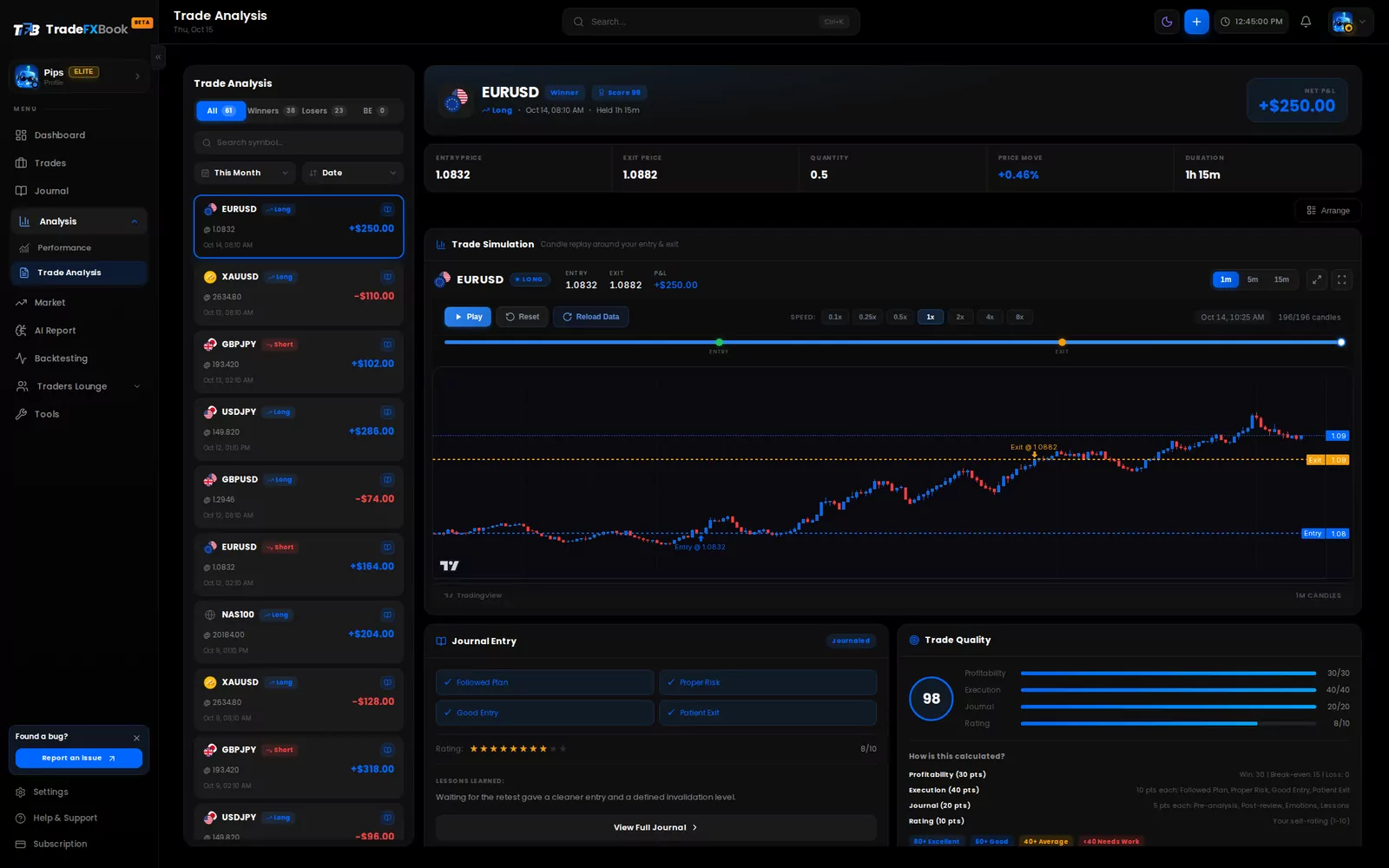
Trade analysisUse a breakdown
to choose the trades.
Symbol, day, session and tag breakdowns give a starting point for a closer review. Use your notes to explain the difference between groups.
Explore the breakdowns →
 ↗
Turn the finding
into a small experiment.
Write the proposed change as a rule with a clear trigger. If late entries repeatedly missed your planned risk to reward, practise passing on that entry rather than adding a new indicator. Keep a note of when you changed the rule so you can distinguish the earlier record from the next review period.
Historical replay on Elite lets you practise the decision on supported symbols with simulated trades. Use unfamiliar dates, keep the rule fixed, and record cases that fail as carefully as cases that work. Replay results provide practice evidence; live spreads, fills and your own behaviour still need a separate review.
Change one meaningful part of the process at a time. Otherwise a better week will not tell you which change helped.
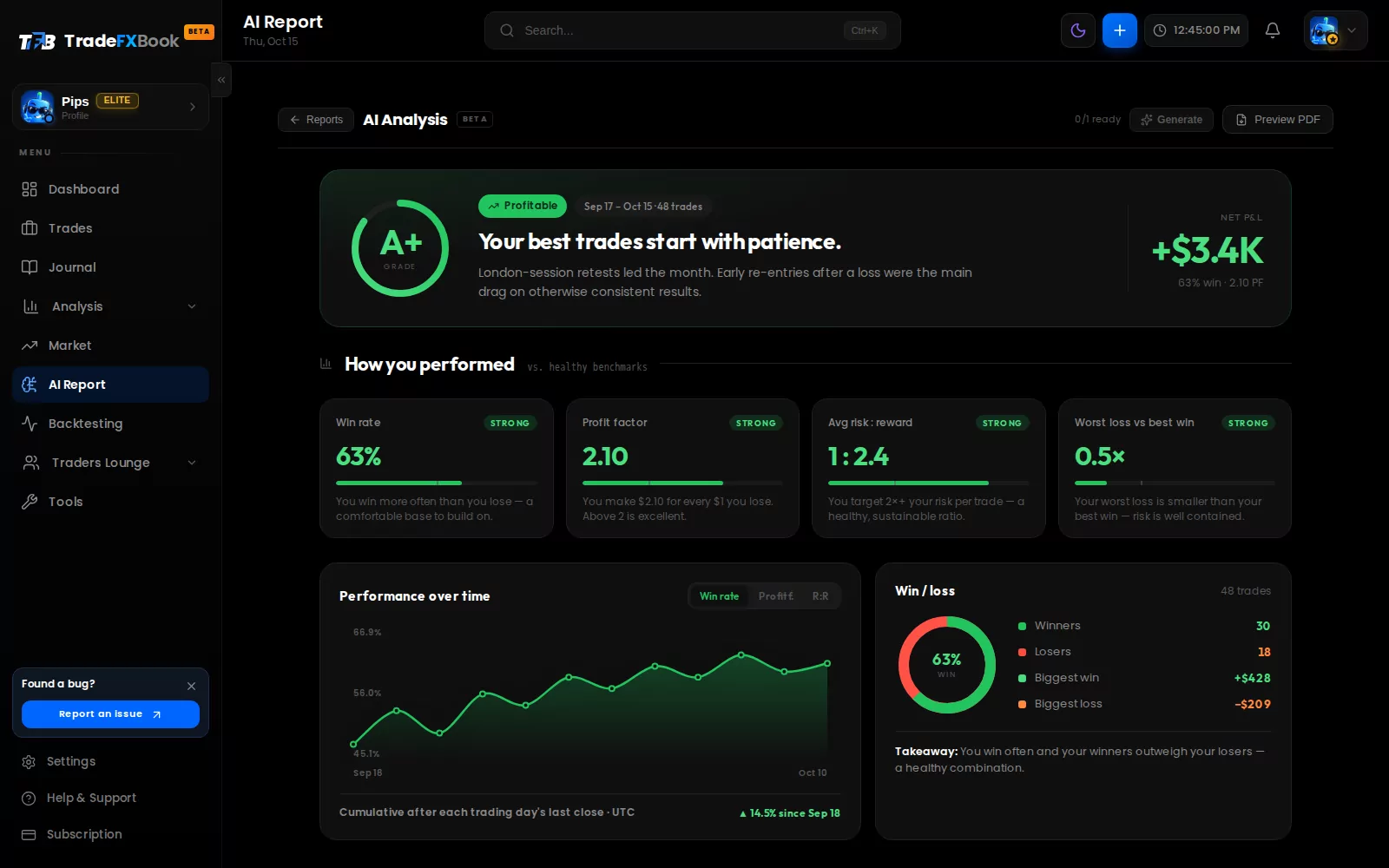
Plan a weekly review →AI trading reportsRead the assessment.
Check the evidence.
Use the written assessment and focused action plan beside your own notes. Pro and Elite include 1 report per account each week.
See AI reports →
 ↗
Questions
Developing a process.
Answered.
Can a better week prove my change worked?
One week is evidence to examine, not proof of a durable improvement. Check whether the opportunities, number of trades and risk taken were comparable. Keep testing the rule through different outcomes before treating it as settled.
Which plan supports a longer review?
Pro is $12.99/month and includes unlimited history and tags, all analytics timeframes and auto-sync for 3 MT4/MT5 accounts. That keeps earlier weeks available for comparison. Compare plans.
Do I need Elite to use analytics or AI reports?
No. Both are included on Pro. Elite is $22.99/month and adds historical backtesting with unlimited sessions, up to 50 saved backtest strategies and unlimited MT4/MT5 accounts. Choose it when those parts fit your practice routine.
Your trading, on the recordReview the week.
Choose what to practise.
Start for free ↗Start free. Upgrade when you need more.
